Activity Log
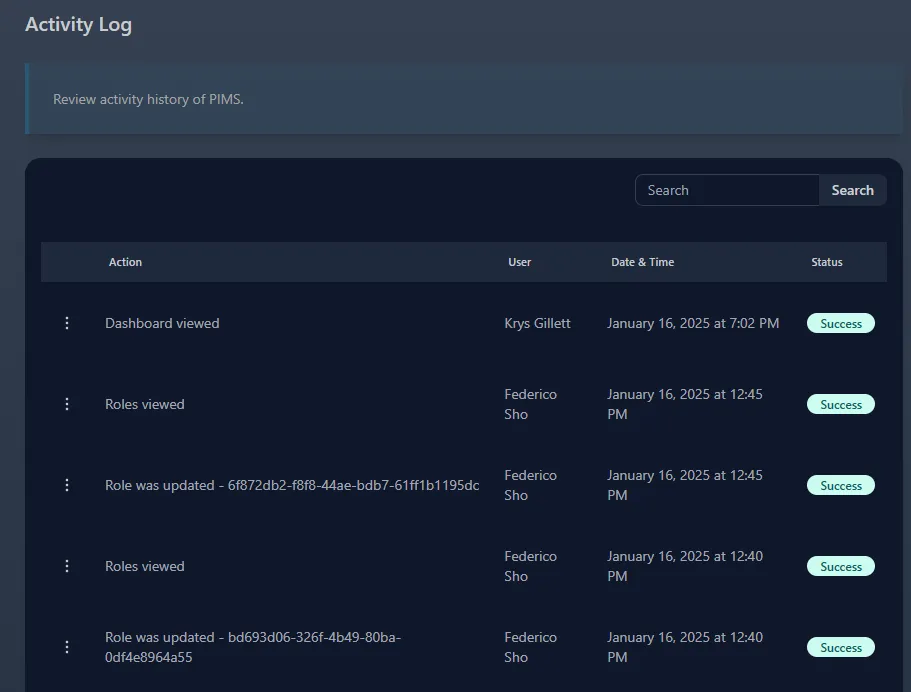
Follow the guide below on reviewing PIMS activity log. PIMS activity is tracked logging various actions throughout the app.
-
Select Admin -> Activity Log. You must have the required permission to view this page.
-
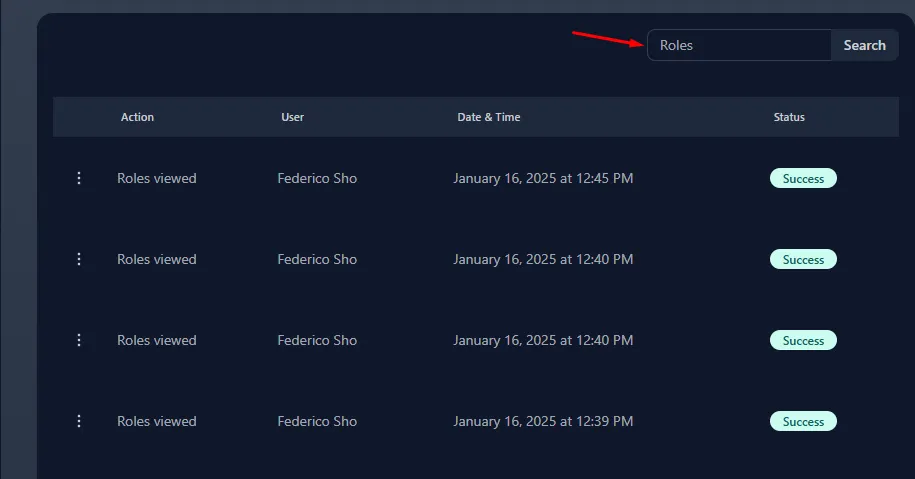
You can use the search bar to search for keywords in the Action column. For example, searching for Roles activity.
-
Each activity record consists of the minimum:
- Action - A description of what was performed.
- User - The name of the user who performed the action.
- Date & Time - The timestamp of when the action occured.
- Status - If the action was succesfull or not.
-
To view further details of an action (not always available)
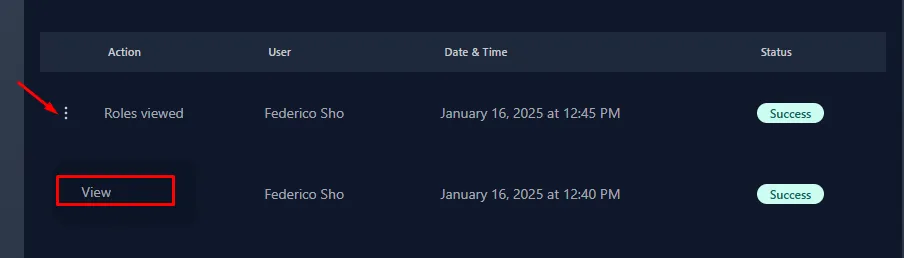
- This will provide additional details such as:
- User IP Adddress
- User Device
- Raw JSON data
- This will provide additional details such as: