New Admission - No Warrant
Follow the guide below to admit new inmates to PIMS.
-
Sign Into PIMS
-
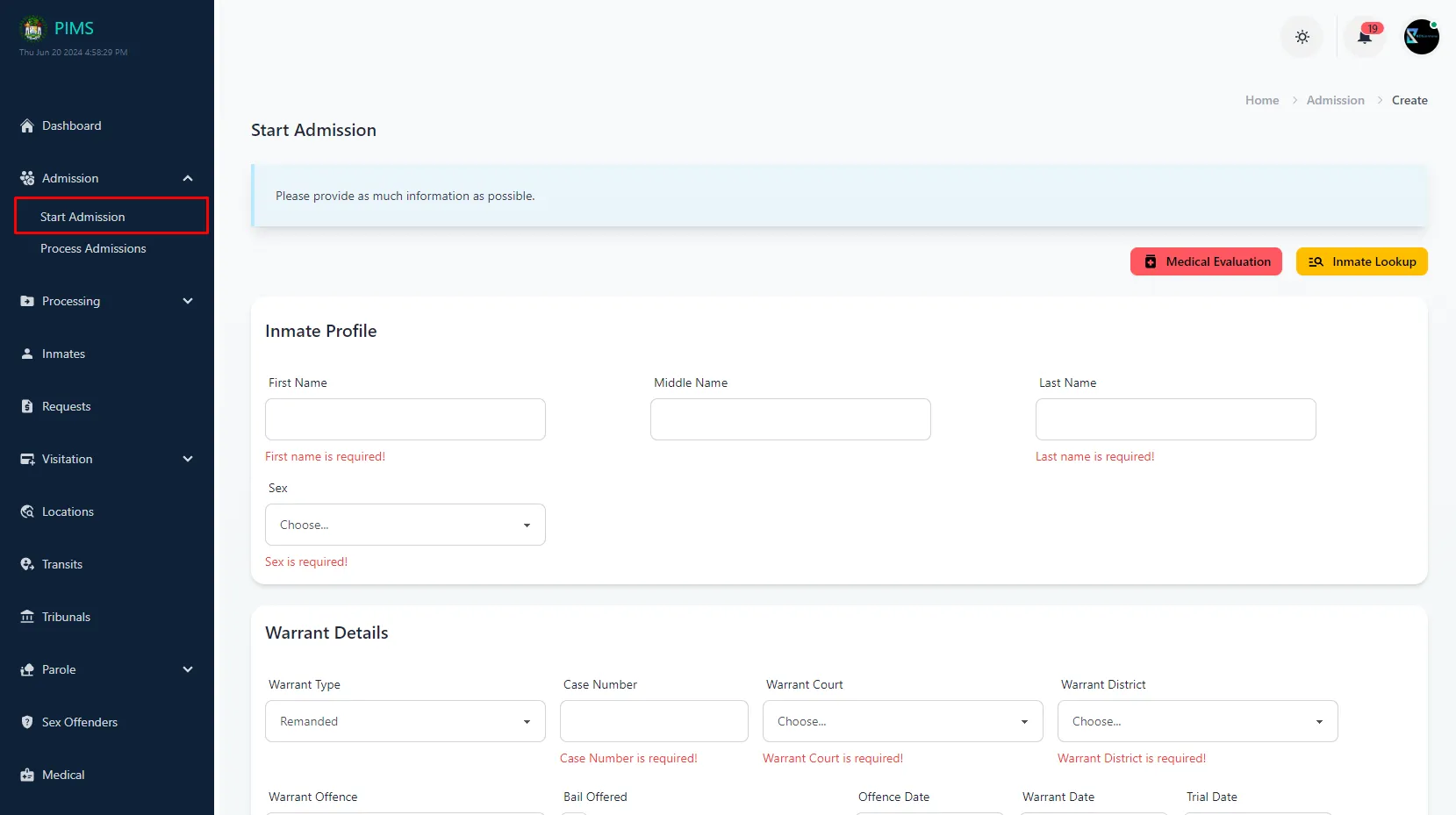
Click On Admissions -> Start Admissions
-
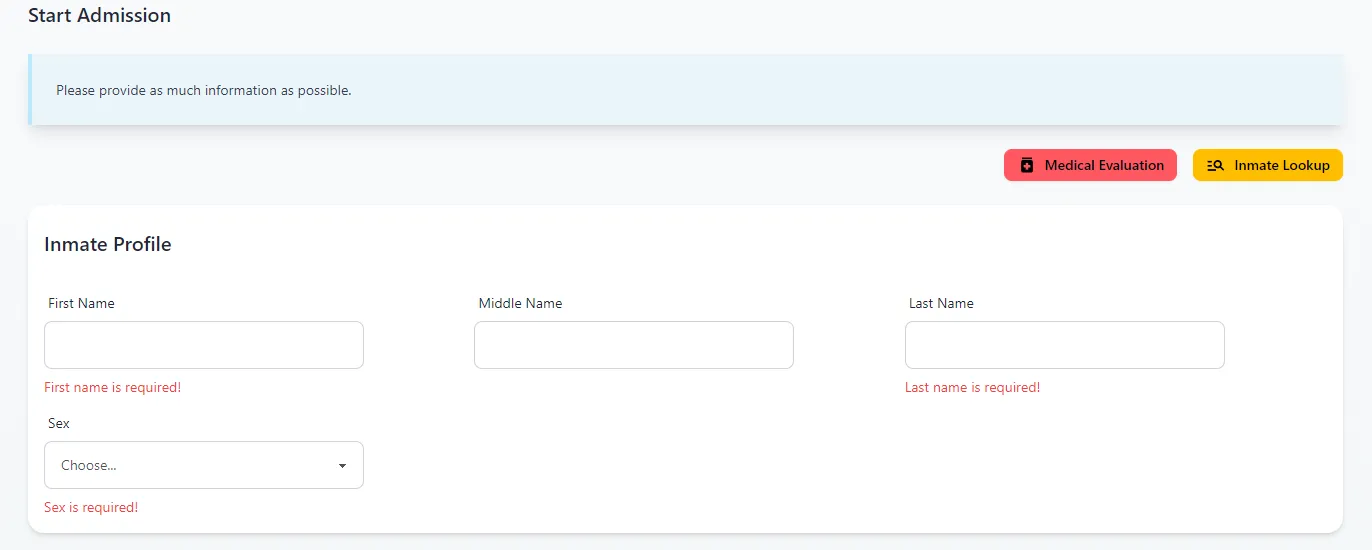
Enter the Inmate Details
-
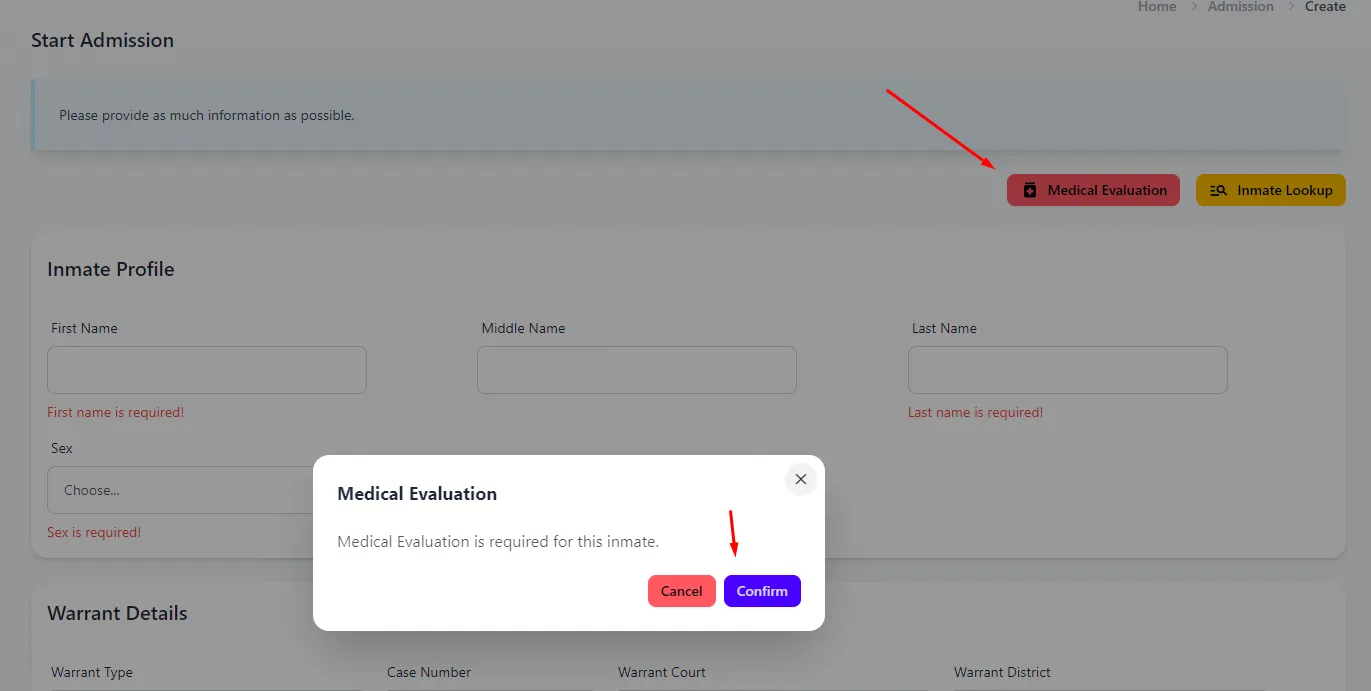
Medical Evaluation Required? (Optional)
If a medical evaluation is required for this inmate. Click the Medical Evaluation button.
-
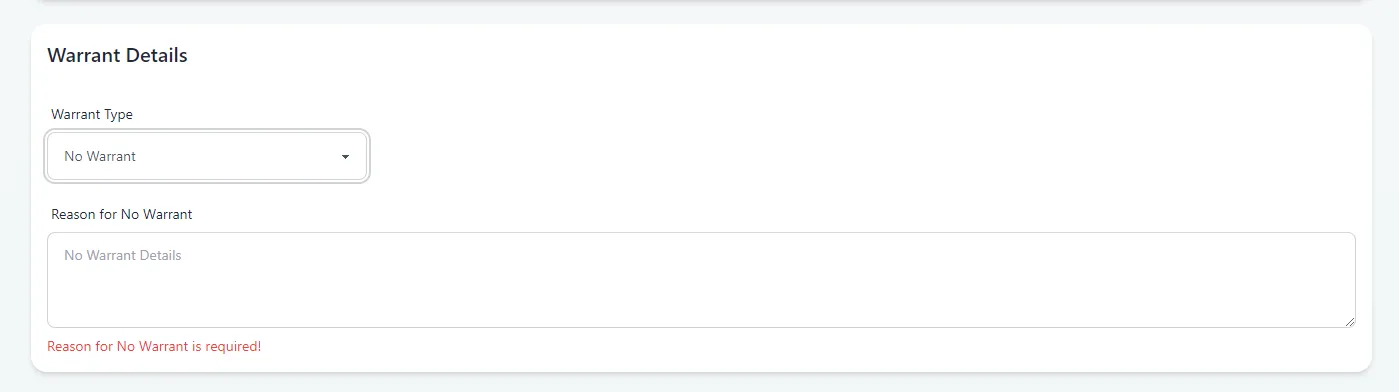
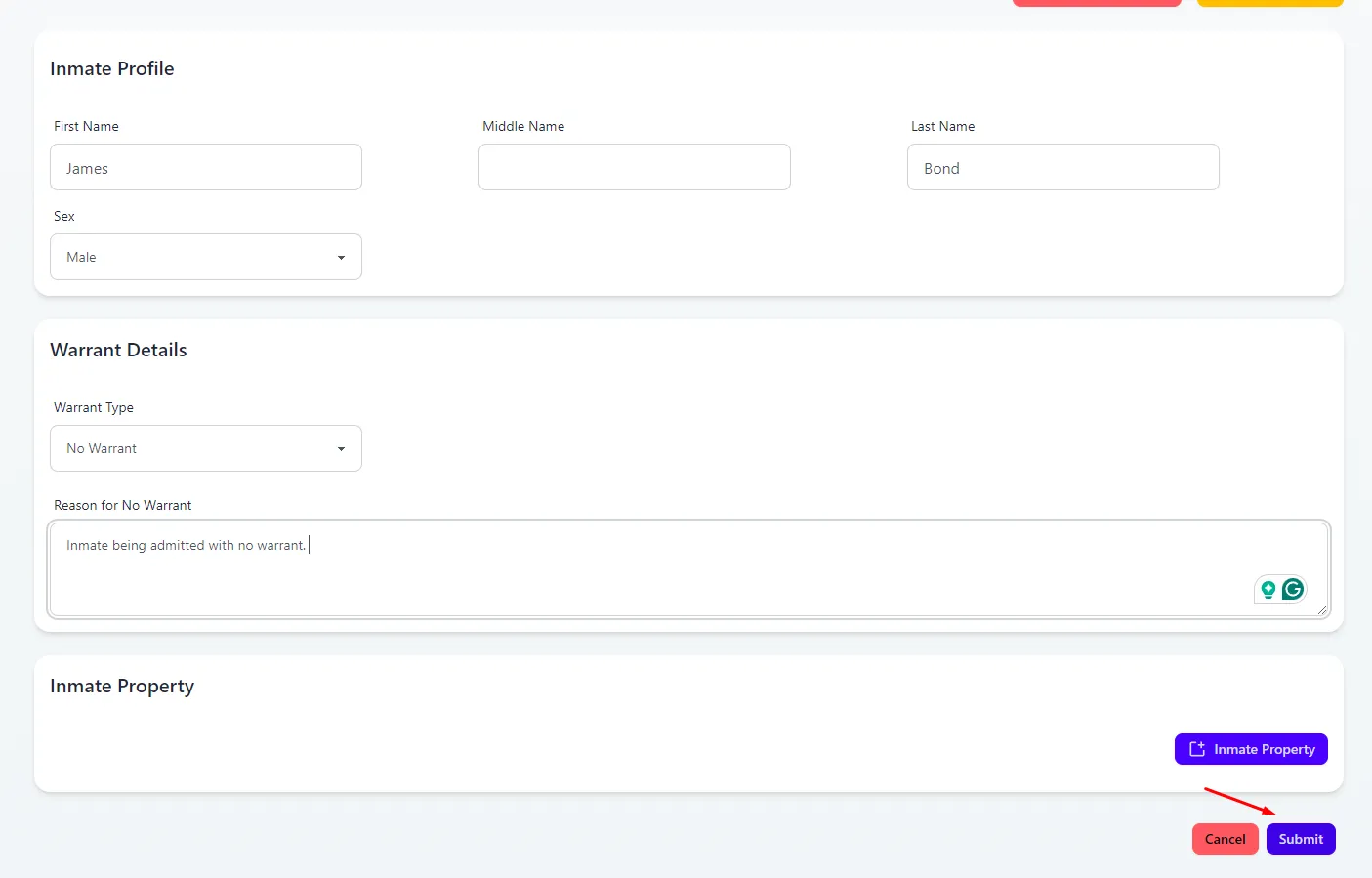
Select No Warrant from the Warrant Type dropdown and enter the required Reason for No Warrant.
-
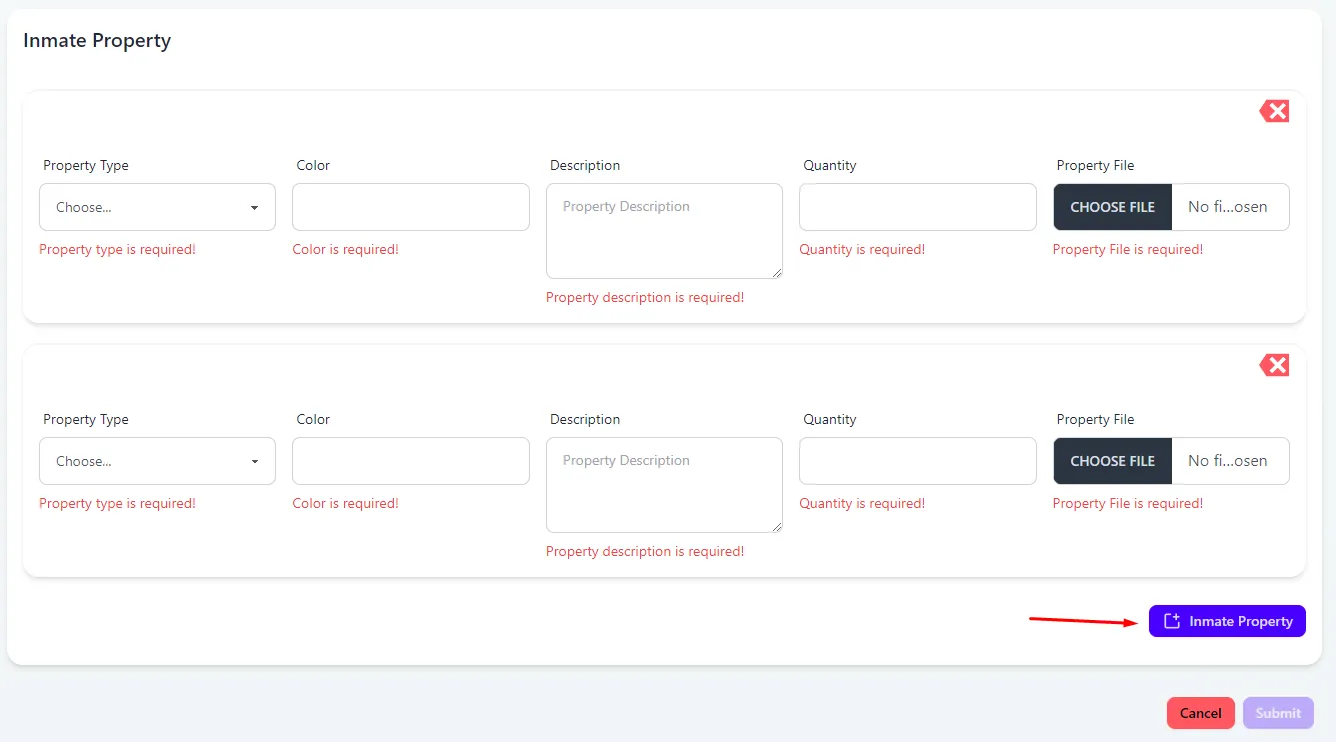
Inmate Property (Optional)
Click Inmate Property for every property item the inmate is being admitted with. All fields are required for inmate property.
-
Once all required fields are completed, the Submit button will be available. Click Submit to complete this new admission.
Further reading
- Read about admitting a previous inmate in PIMS