Reject Admission
Follow the guide below to reject an admission in PIMS.
-
Sign Into PIMS
-
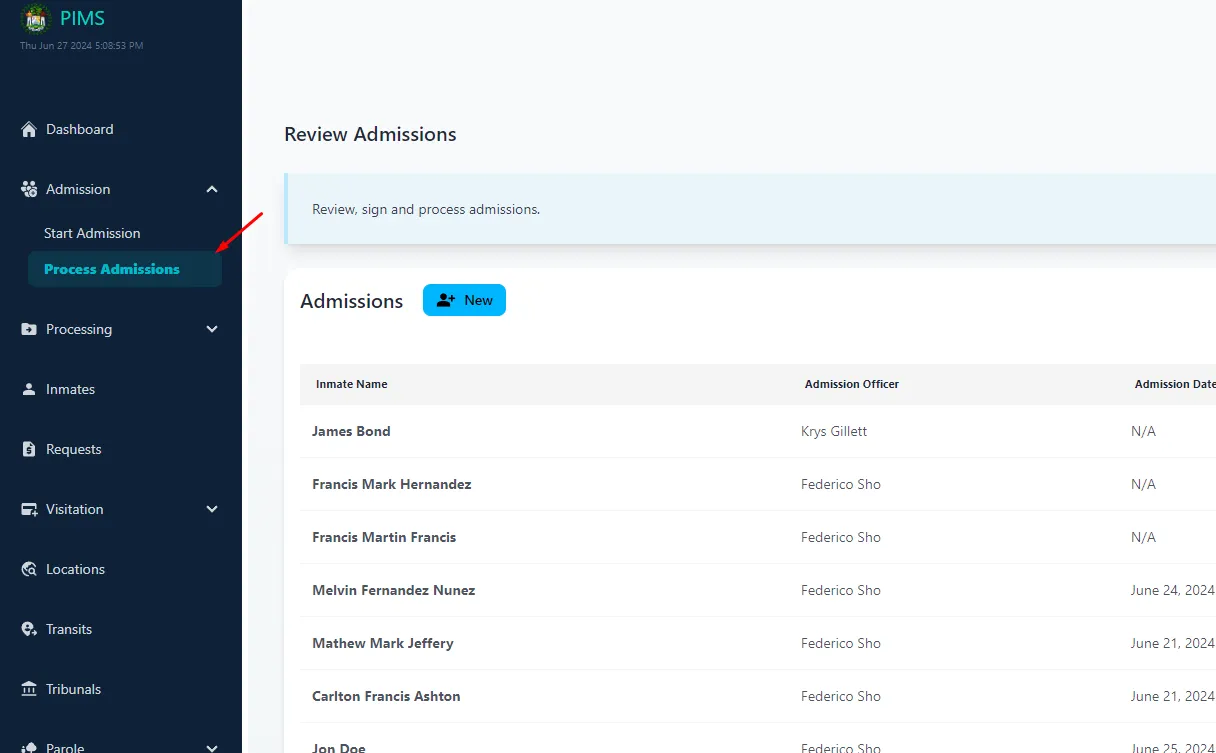
Click On Admissions -> Process Admissions
-
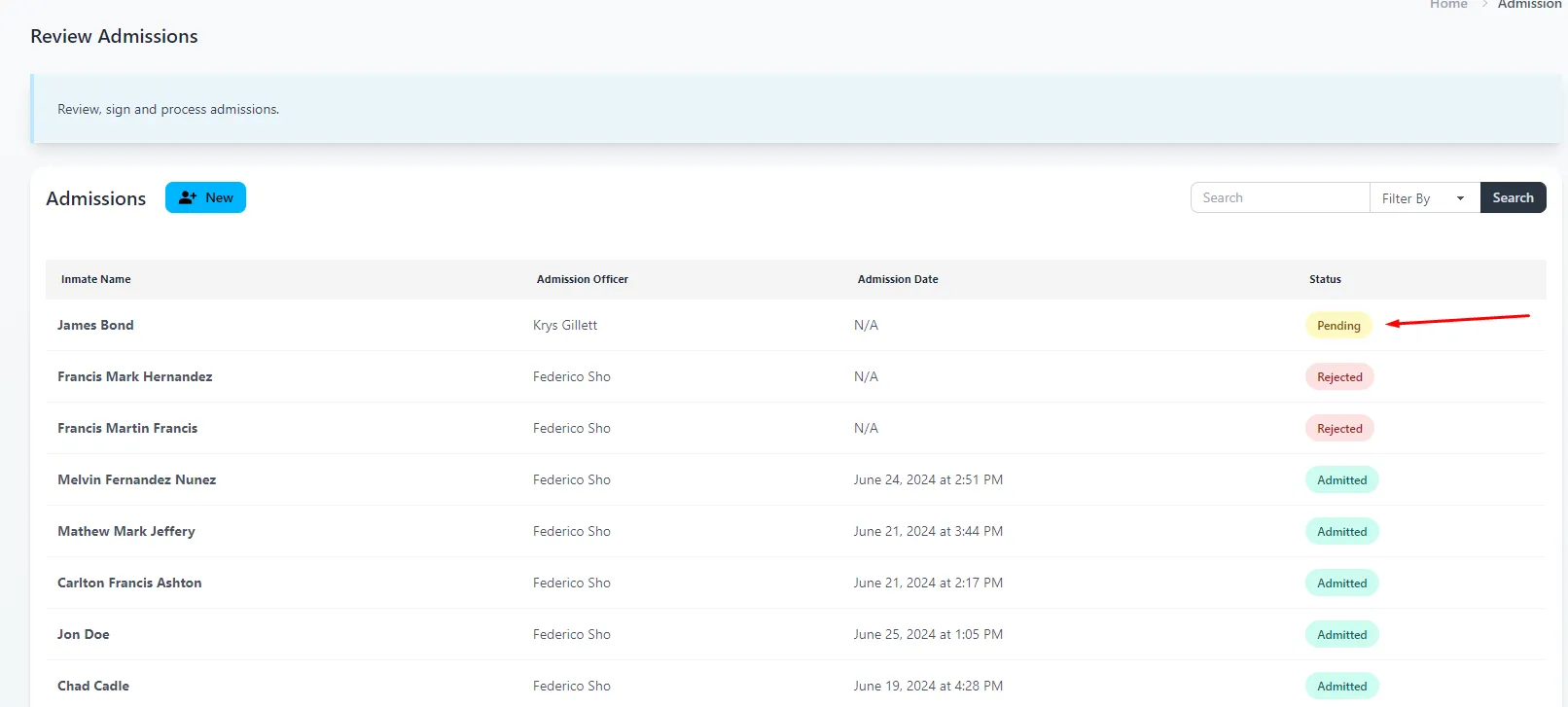
Select a Pending Admission from the admissions list.
-
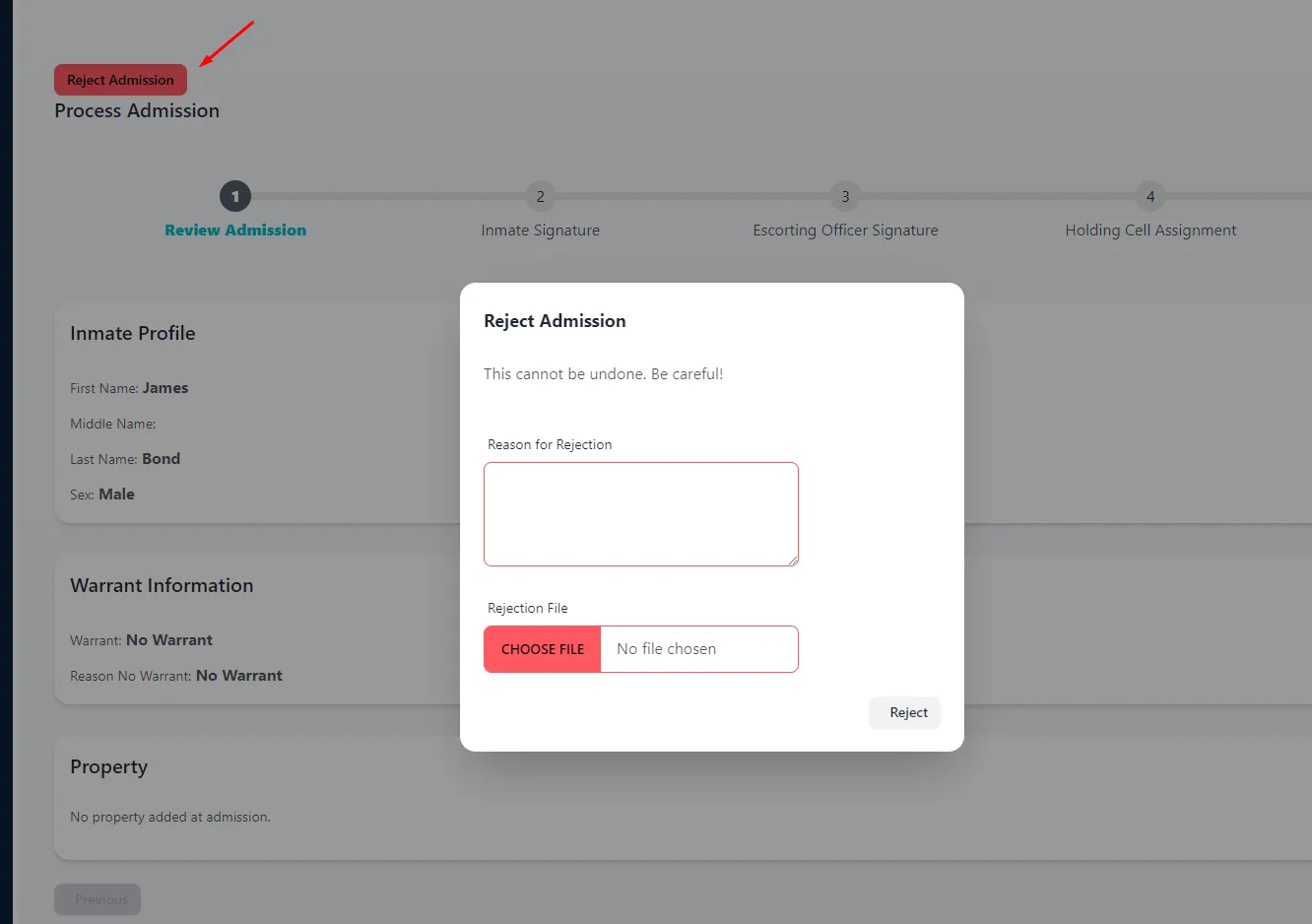
Reject Admission is available if the admission has not been completed. Click it to trigger the Reject Admission modal.
-
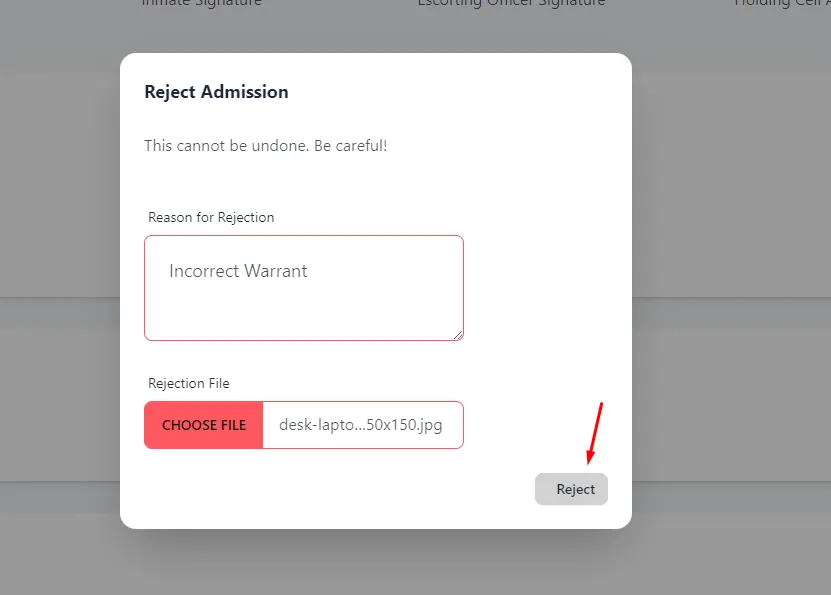
Enter Reason for Rejction details. This is a required field. Upload documentation, example: Rejection File. This is also required.
-
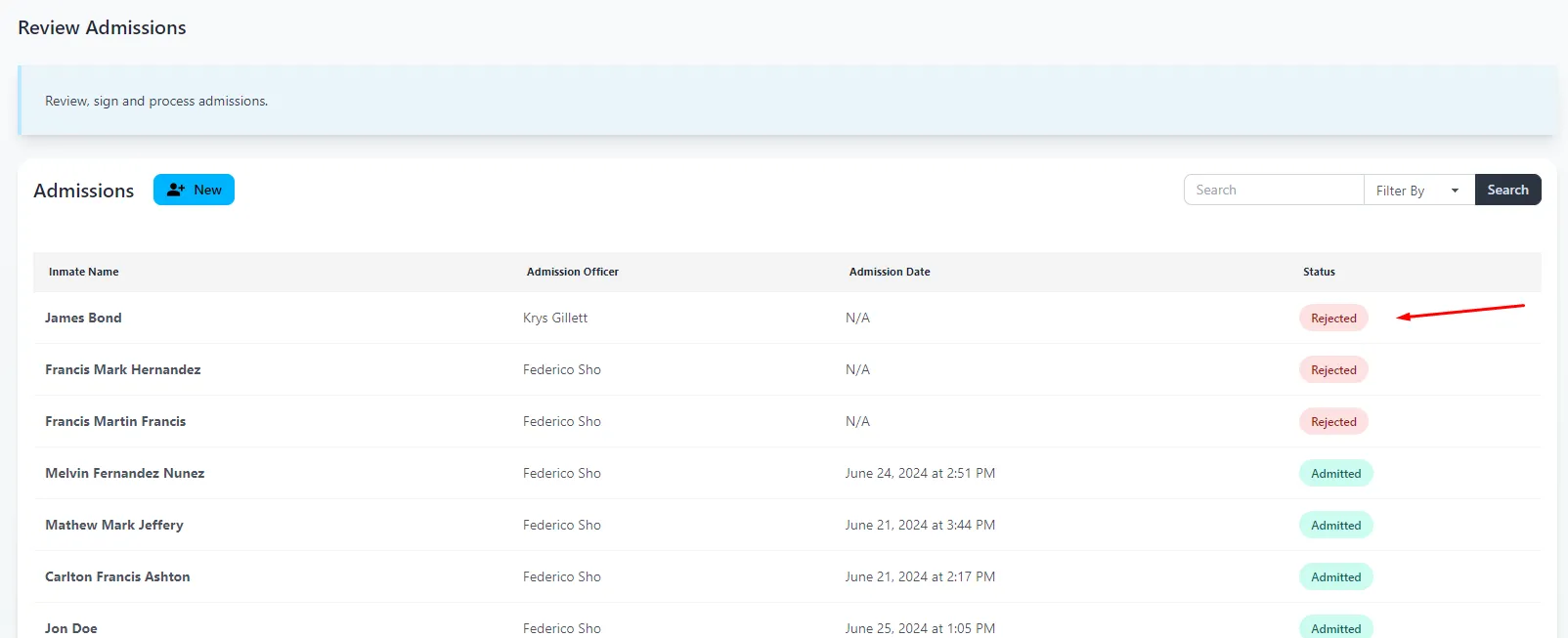
Admission is now Rejected. The status in the Admissions list will be updated to Rejected. No further edits can be done at this time. Click the Admission to view the rejection details.
-
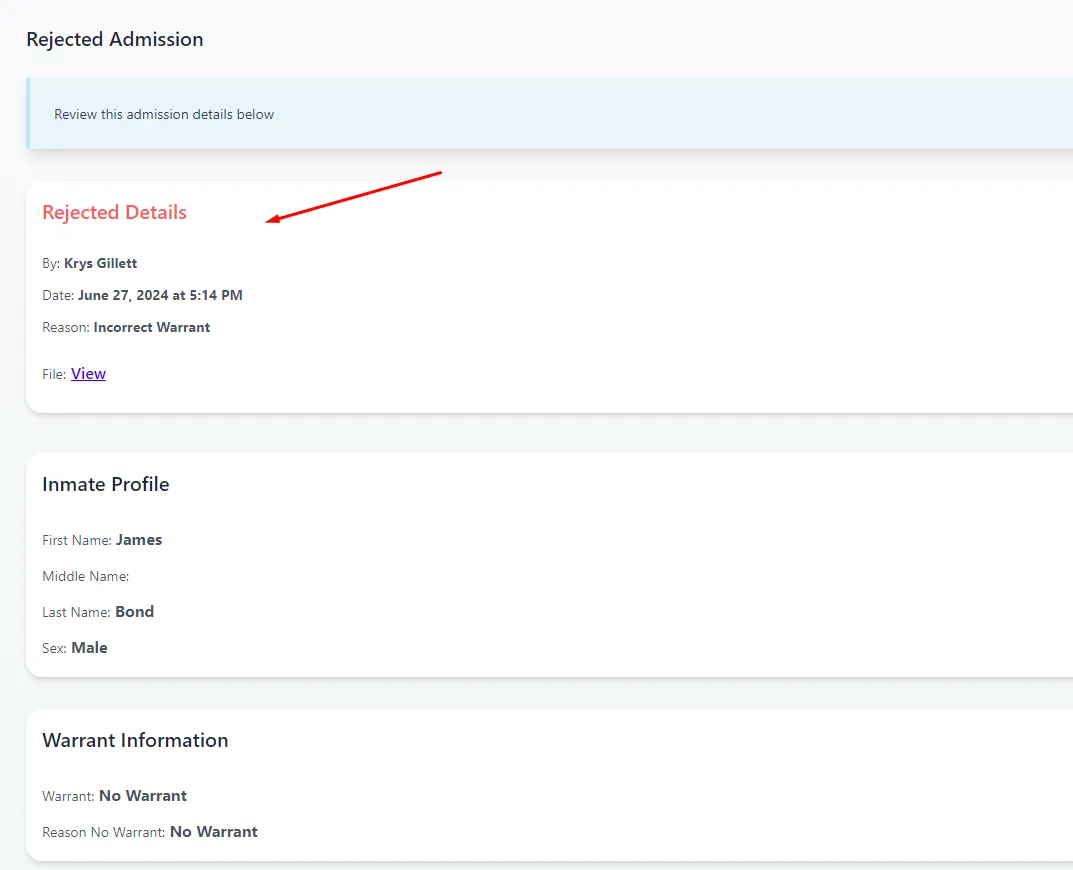
Review the Rejected Details and Rejected File.
Further reading
- Read about admitting a previous inmate in PIMS