Processing Inmate
Follow the guide below to process an inmate via PIMS.
-
Sign Into PIMS
-
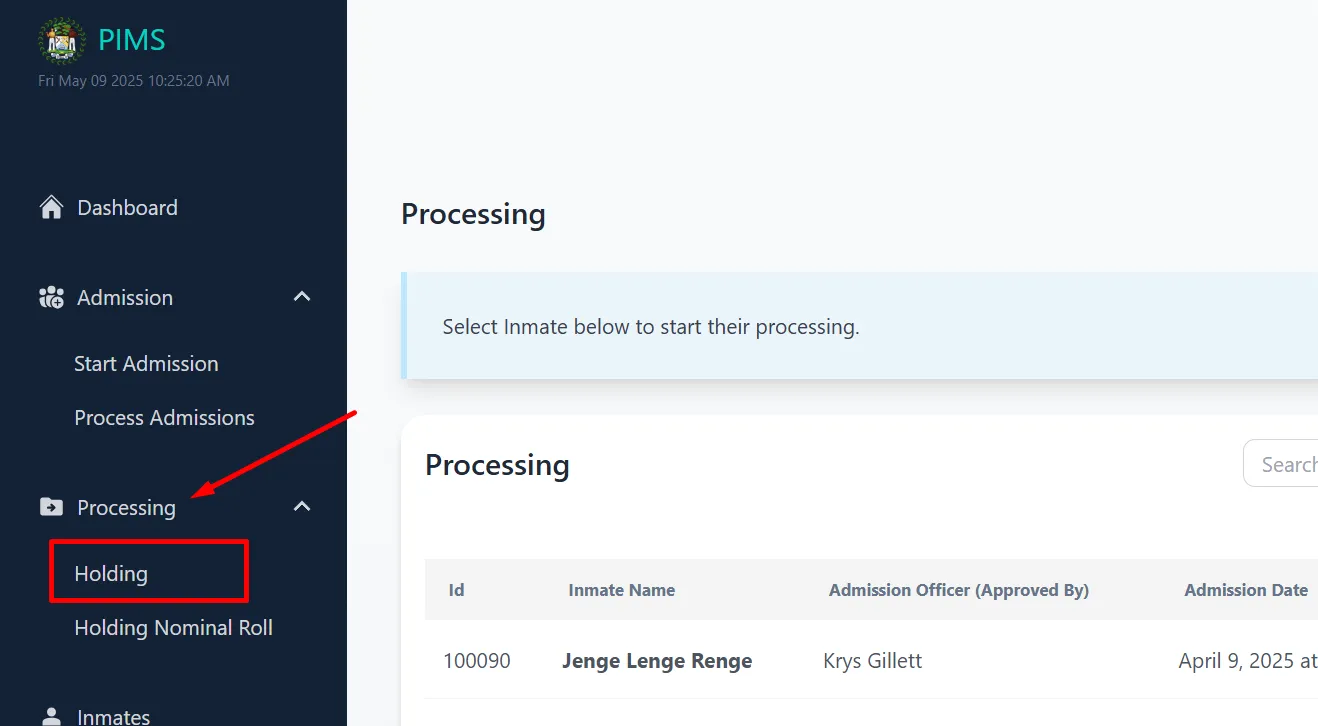
Click On Processing -> Holding
-
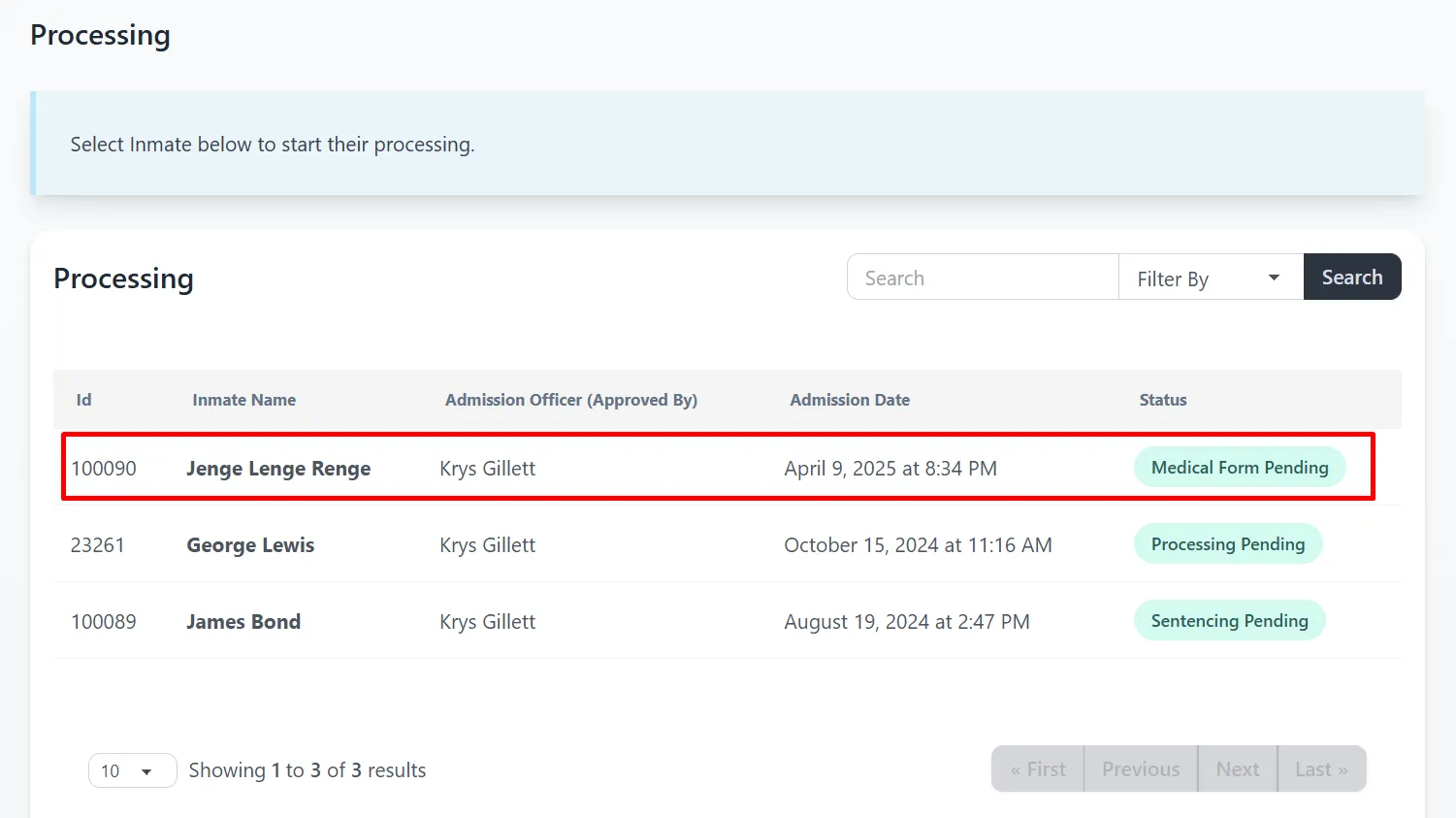
Click the Inmate that you want to process. If you can’t find the inmate. Use the search field.
Search Criteria: Id #, First Name, Last Name, Middle Name
-
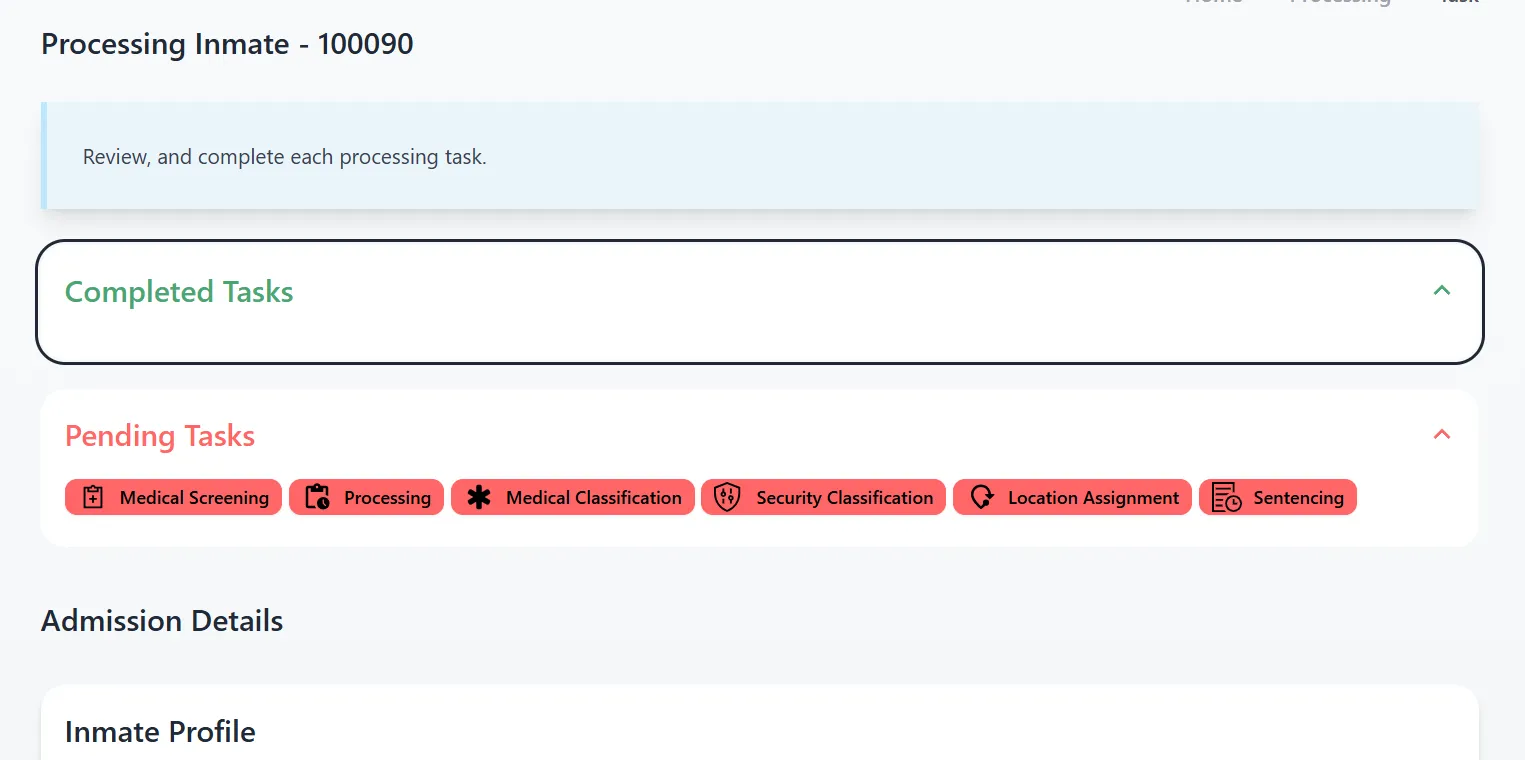
Once the inmate to be processed has been clicked. You’ll see all pending tasks and completed tasks. If you’re permission allows you to complete a task. The option is going to be available for you to complete.
On each processing page, information about the admission is displayed. This includes, warant informtion, and property (if any).
-
Below is the list of tasks to complete the processing requirements:
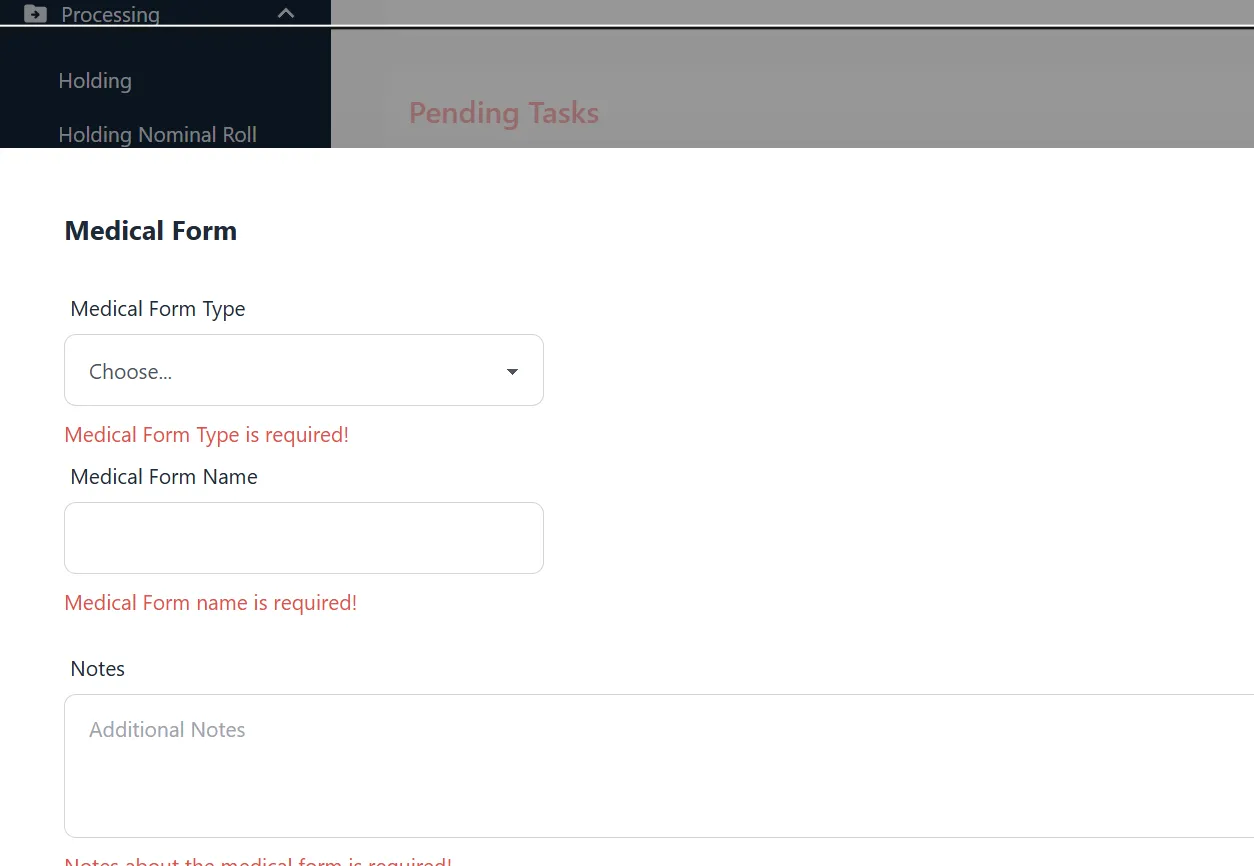
- Medical Screening
- Admission Medical Evaluation - Upload a copy of the admission medical evaluation.
- Processing Medical Evaluation - Upload a copy of the processing medical evaluation.
- Processing
- Inmate information consisting of family history and inmate history.
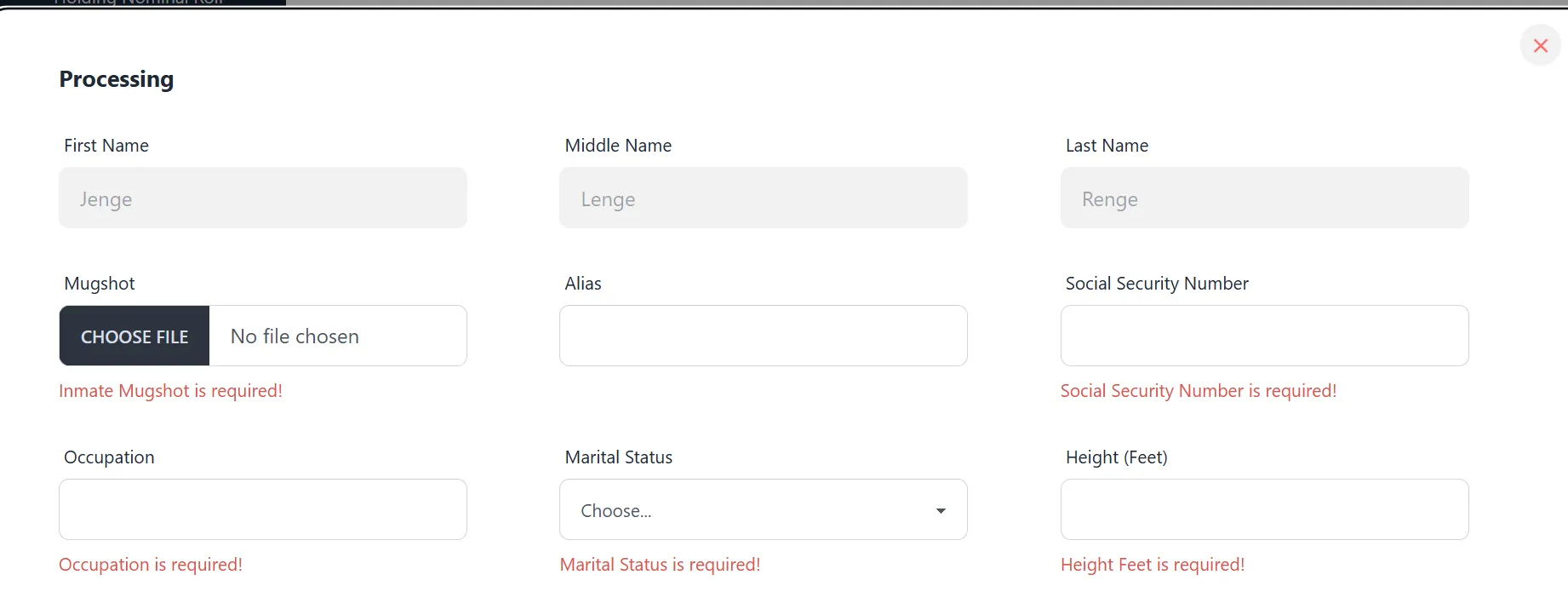
- Inmate information consisting of family history and inmate history.
- Medical Classification
- This should be completed by the medical doctor. This is a screening of the inmate’s mental illness, disability, major medical issue and/or if the inmate needs to be isolated.
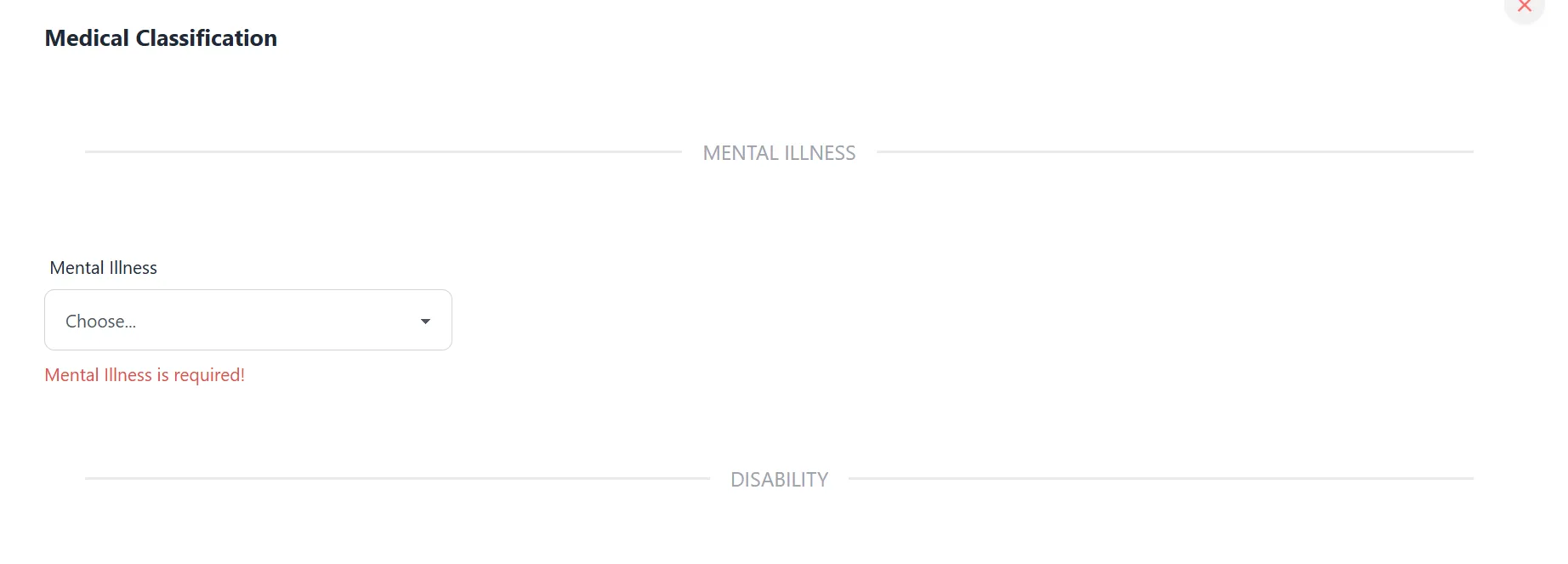
- This should be completed by the medical doctor. This is a screening of the inmate’s mental illness, disability, major medical issue and/or if the inmate needs to be isolated.
- Security Classification
- A form that classifies the inmate risk level. The level is automatically set based on the criteria integrated into the system. For example, if inmate is in organized crime, High Risk is automatically set and is attached to the inmate’s profile as a label.
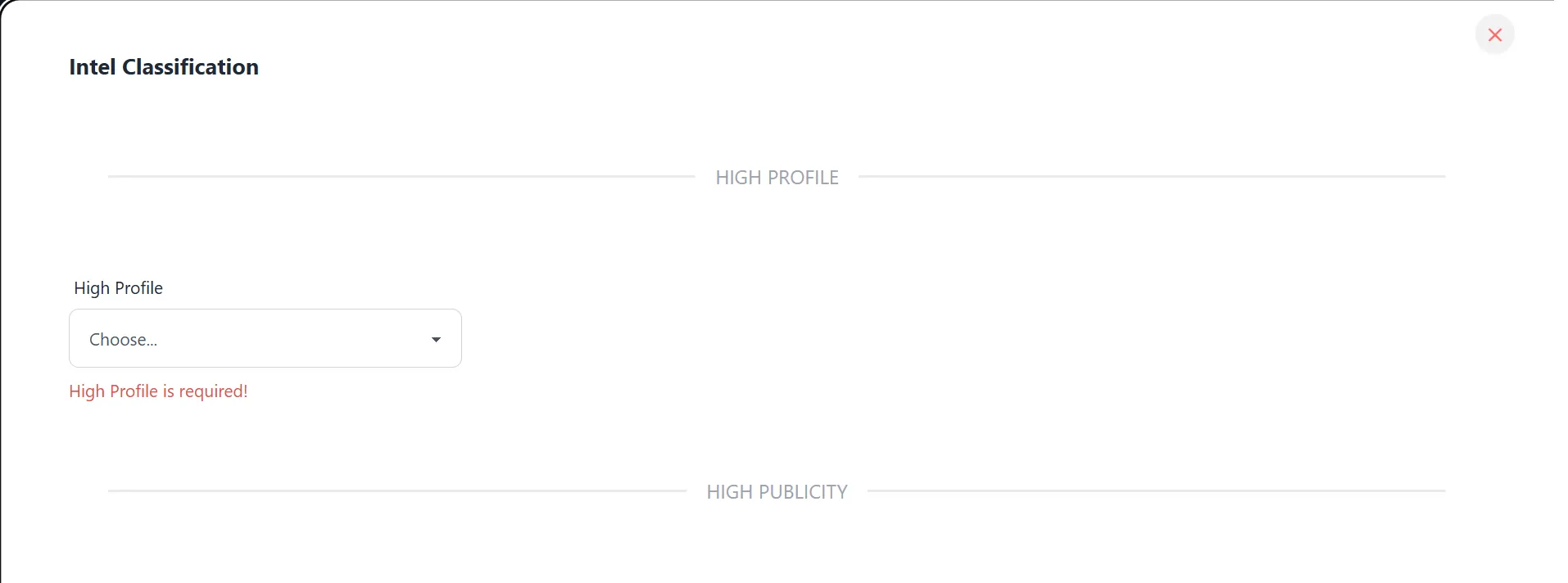
- A form that classifies the inmate risk level. The level is automatically set based on the criteria integrated into the system. For example, if inmate is in organized crime, High Risk is automatically set and is attached to the inmate’s profile as a label.
- Location Assignment
- Once the inmate is ready to be transferred. A location assignment is required. This is essentially from Holding Cell to their newly assigned location.
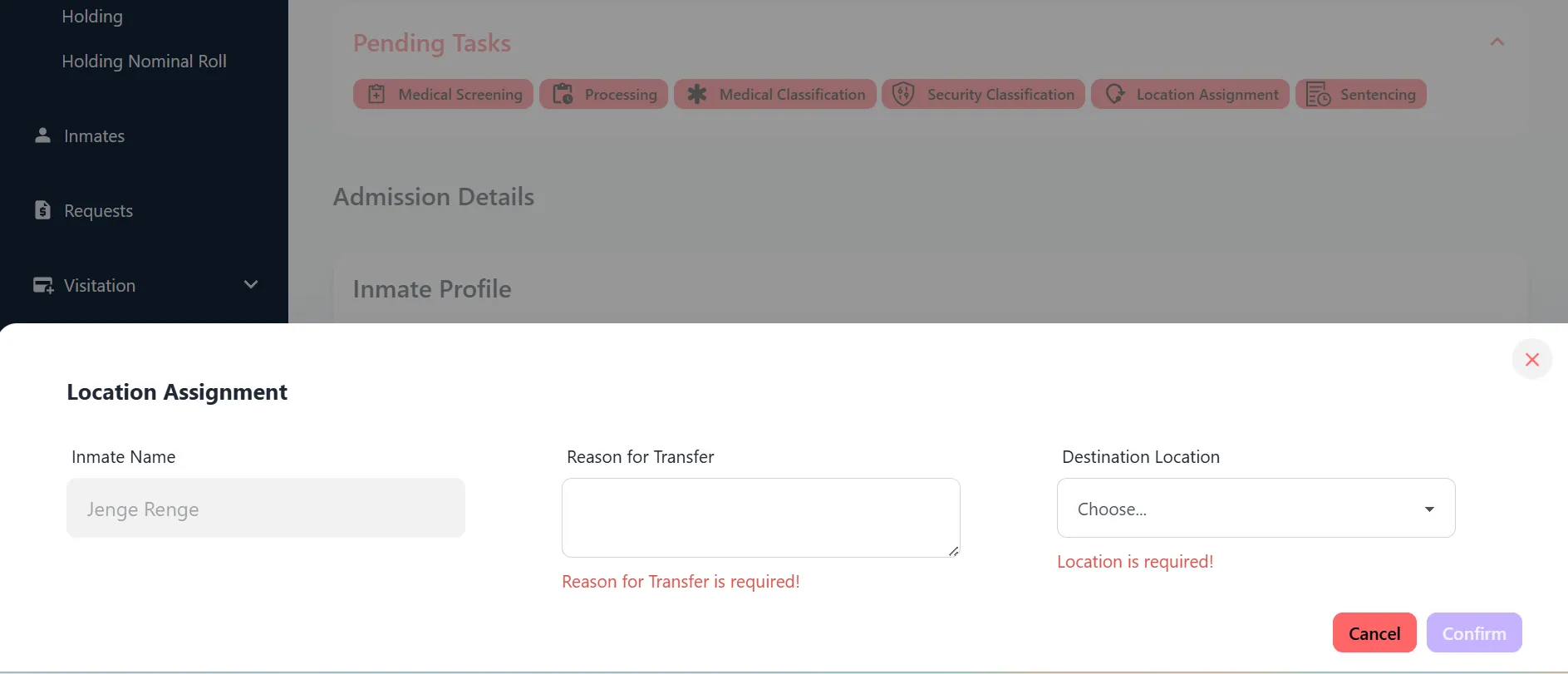
- Once the inmate is ready to be transferred. A location assignment is required. This is essentially from Holding Cell to their newly assigned location.
- Sentencing
- Sentencing requires entering the parole date, remission date, and ADOD. This will be attached to the Warrant and can be viewed directly on the Warrant.
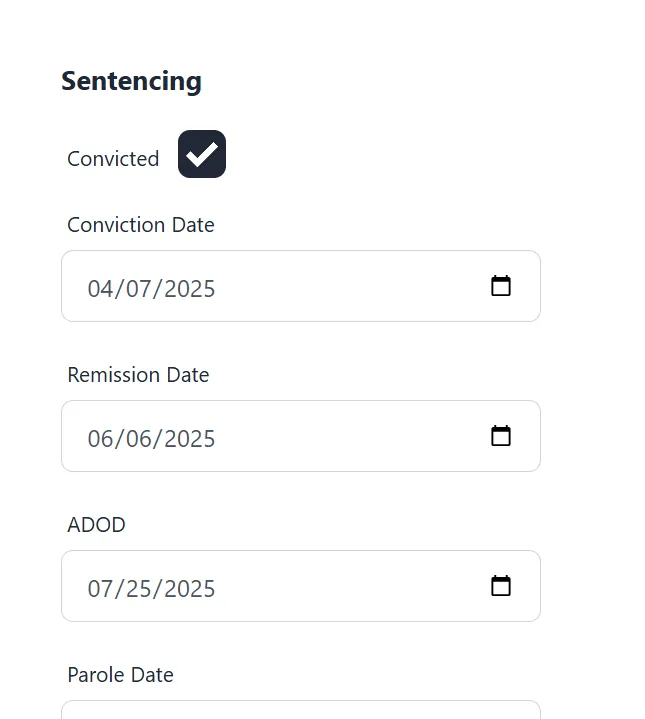
- Sentencing requires entering the parole date, remission date, and ADOD. This will be attached to the Warrant and can be viewed directly on the Warrant.
Each item is role based and requires individual permission being granted to complete. Each item must be completed in order for processing to be completed.
- Medical Screening