Initiate Transits
Follow the guide below to initiate transits.
- To initiate a transit you need to have access to the Location where the inmate is housed.
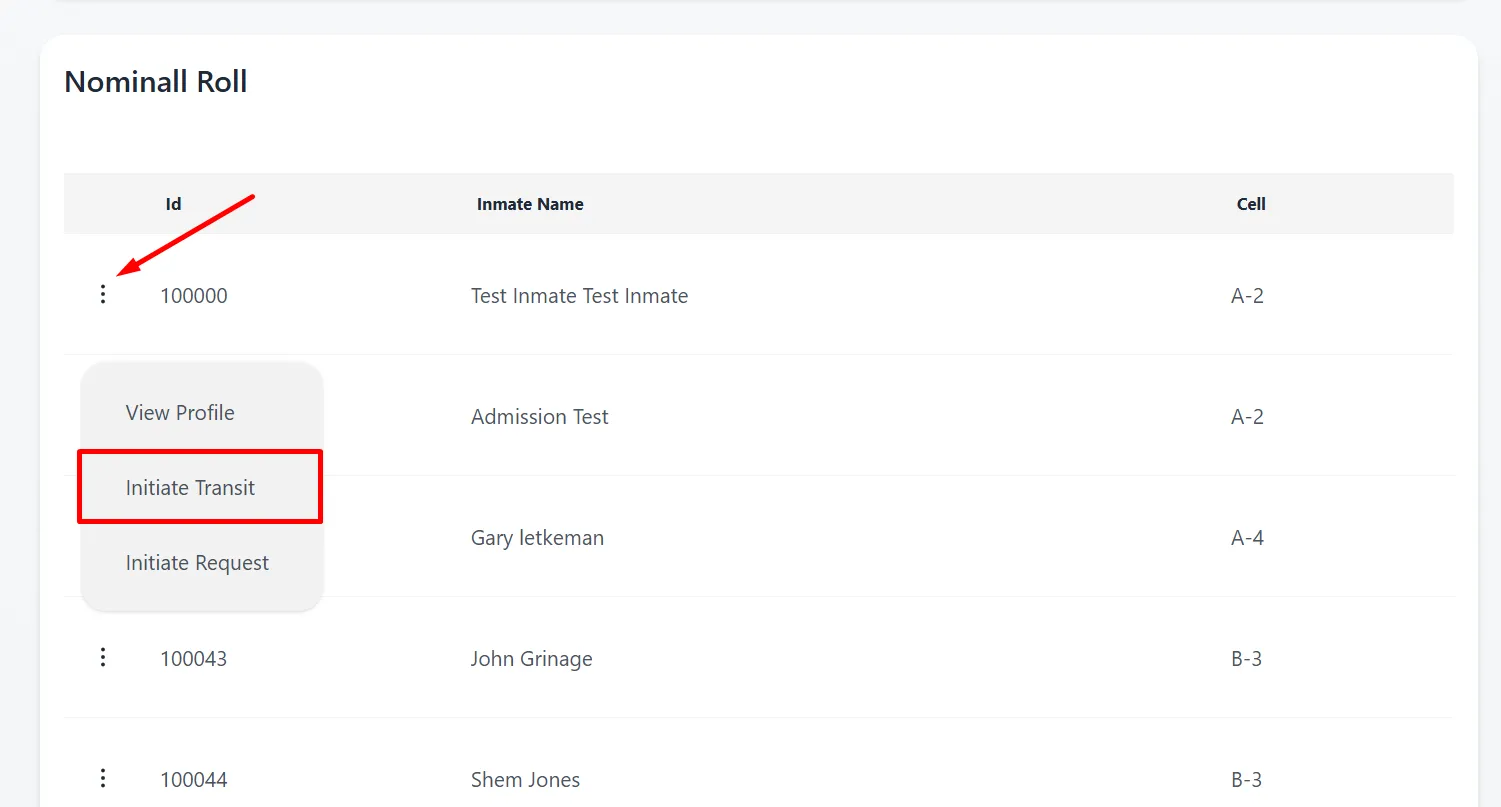
- On the location’s Nominall Roll view, select Initiate Transit.
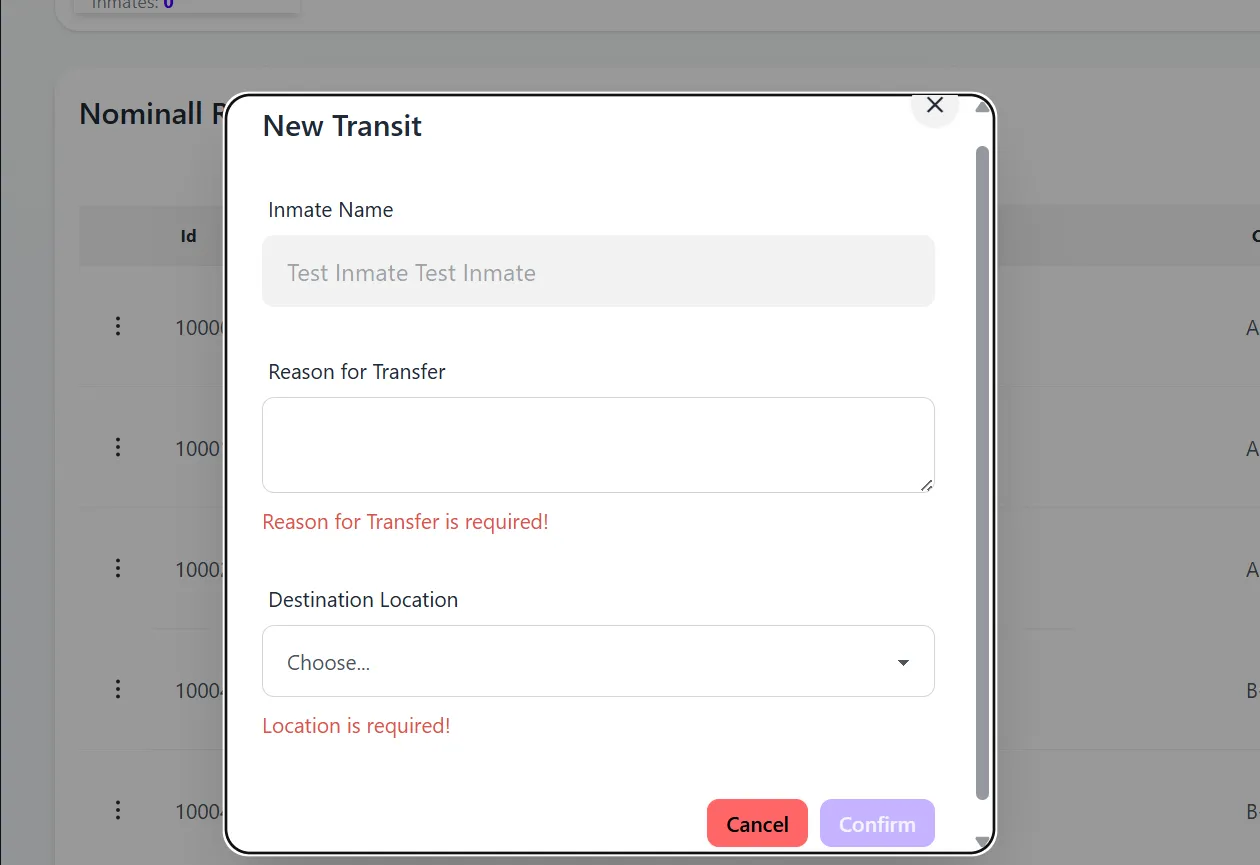
- Fill out the transit details in the popup dialog. Inmate name is already entered by the system. Reason for the Transfer and the Transfer location is required.
- Once the transit has been submitted, it’ll be available in the Transit table view and can be approved by someone with the required permissions.