View Transits
Follow the guide below to manage transits.
- Sign Into PIMS
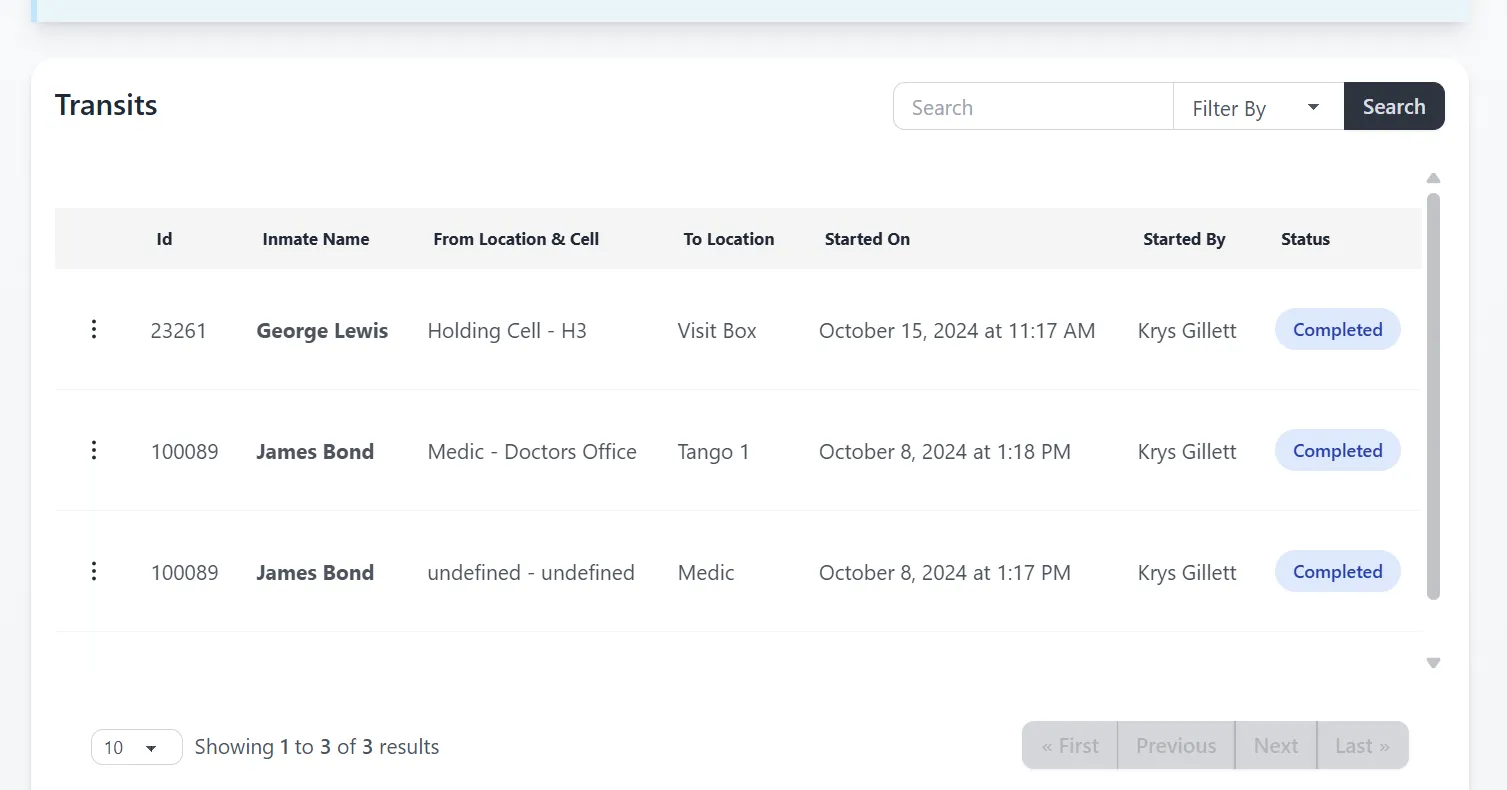
- Click On Transits. As always, the right permission is required.
View Transits
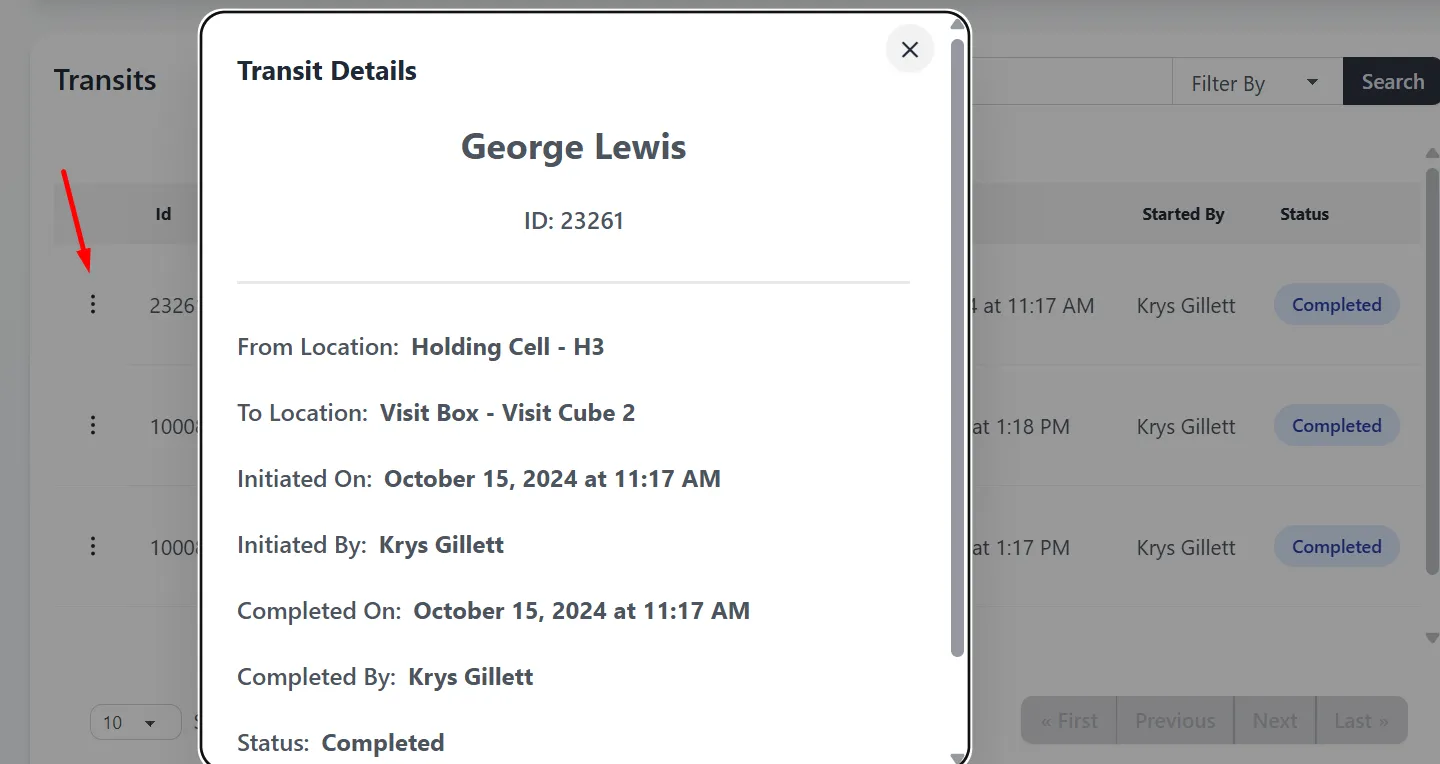
- Click on the three dots per row item to review the transit details. This is only possible for Completed Transits.
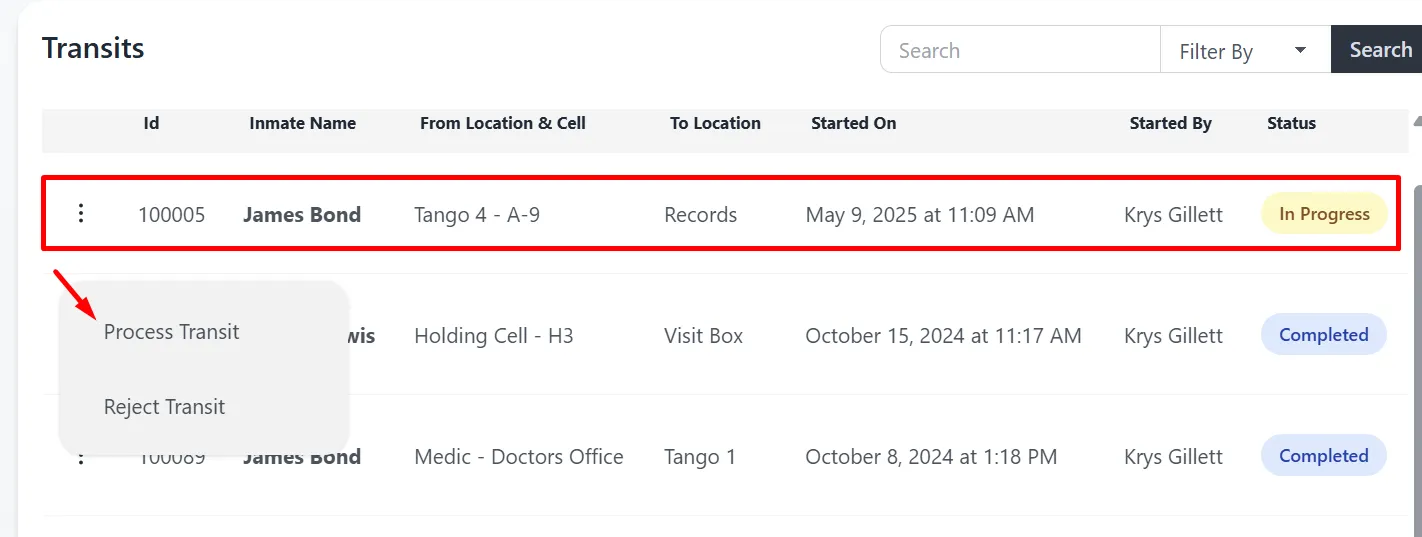
Process Transit
- Select the transit you want to process.
- A dialog will popup for you to scan the inmate ID or enter the inmate ID number manually.
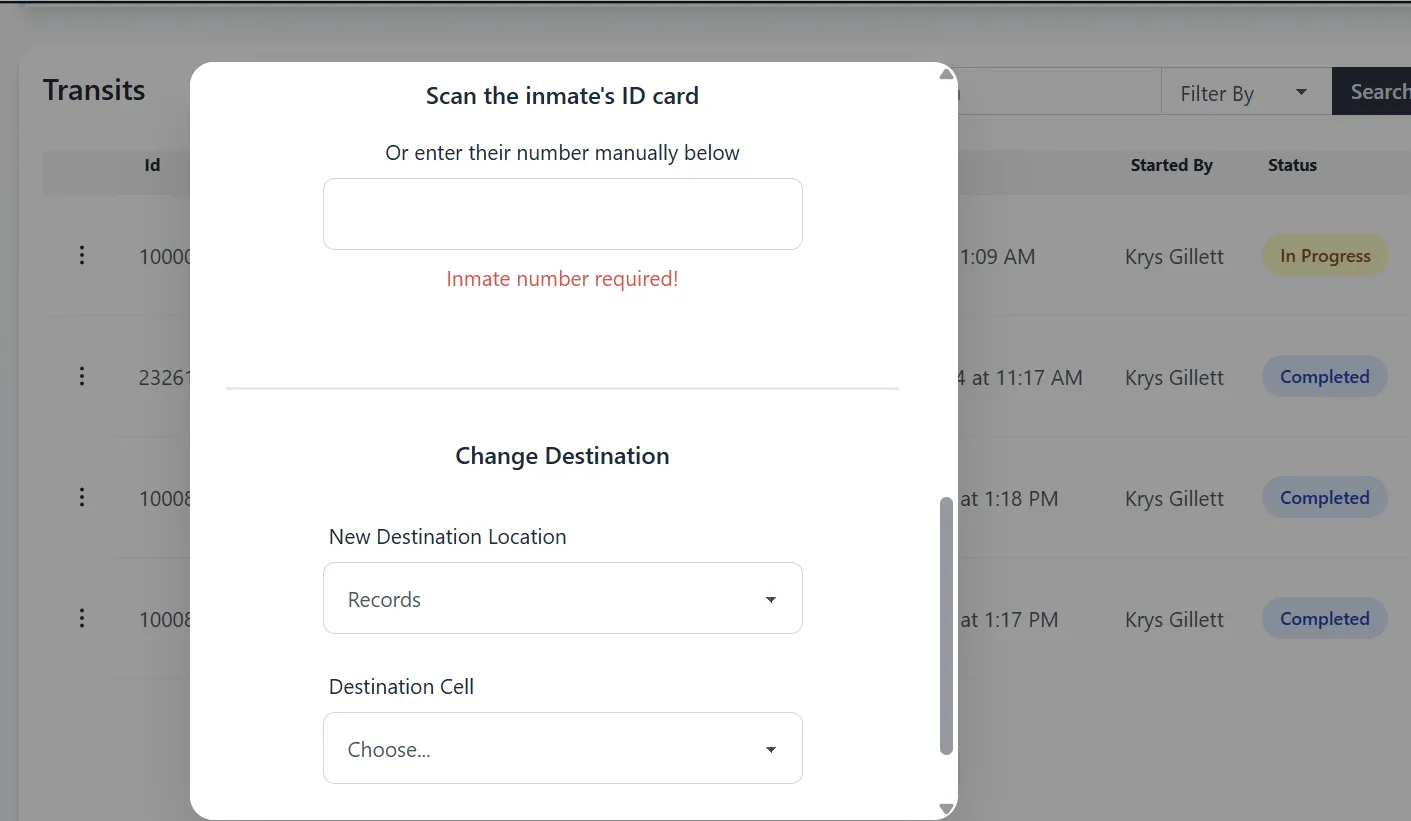
- You do have the ability to change the destination for this transit.
- Click Confirm. The transit will be processed.
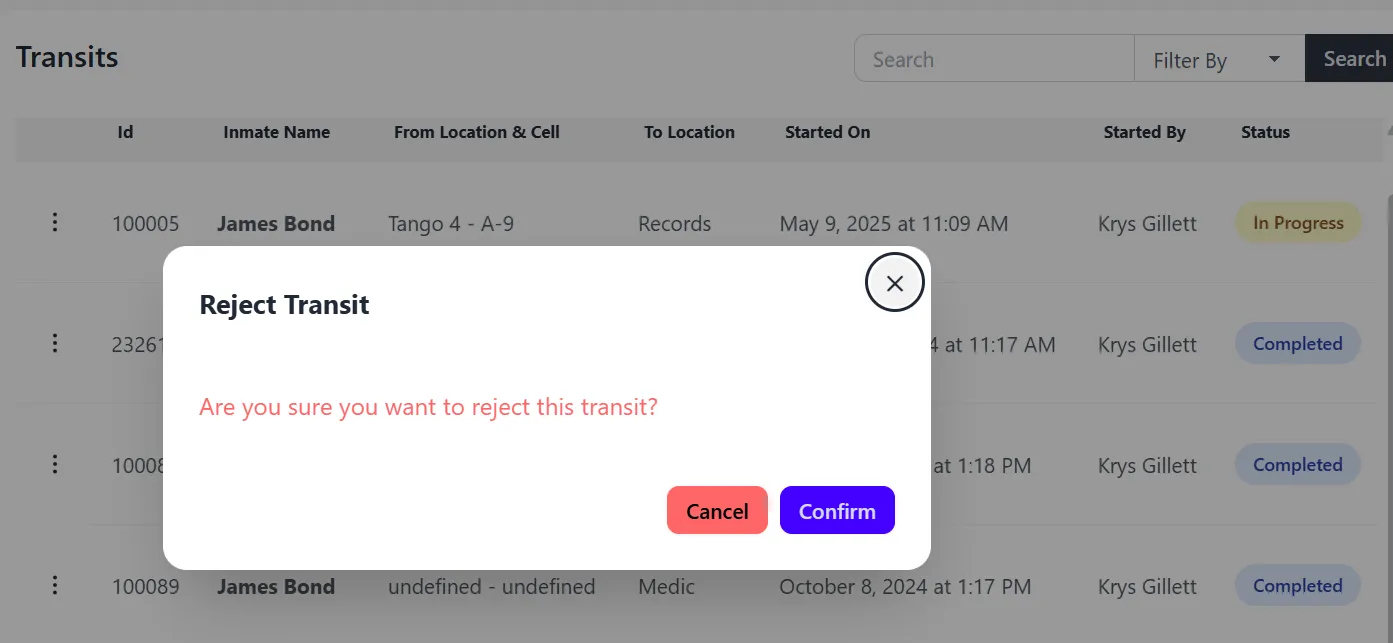
Reject Transit
- Select the transit you want to reject.
- A dialog will appear asking for confirmation. Once this is confirmed, a new transit will be required if this was rejected prematurely.