Initiating a Visit
Follow the guide below to initiate a visit for a registered visitor.
-
Sign Into PIMS
-
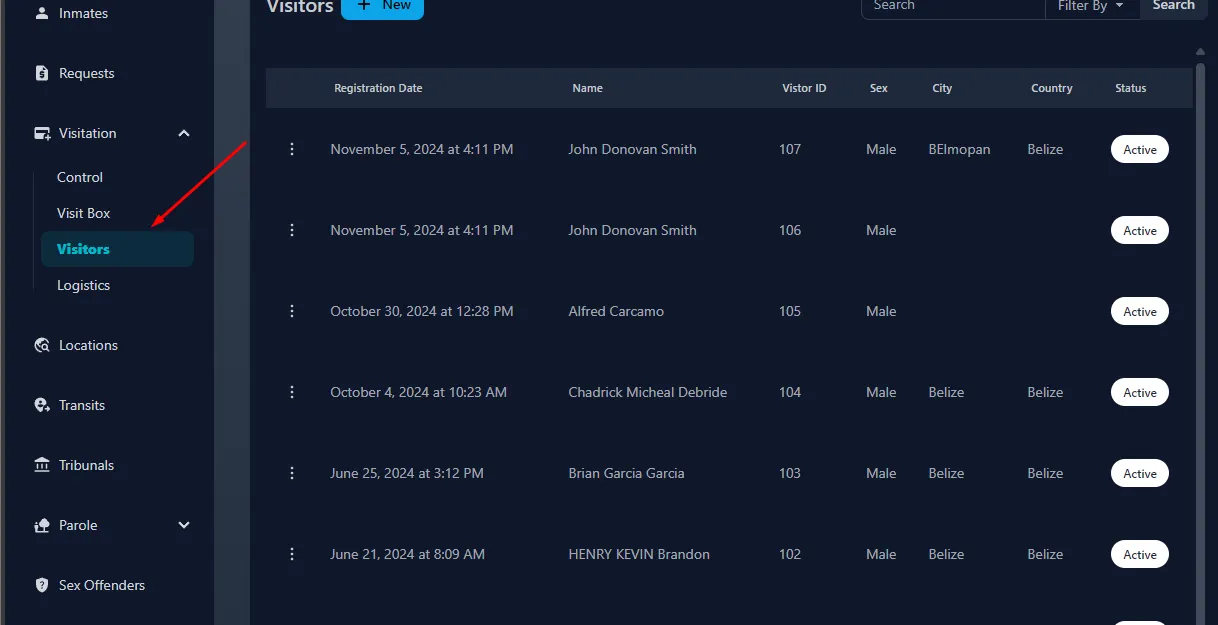
Click On Visitation -> Visitors
-
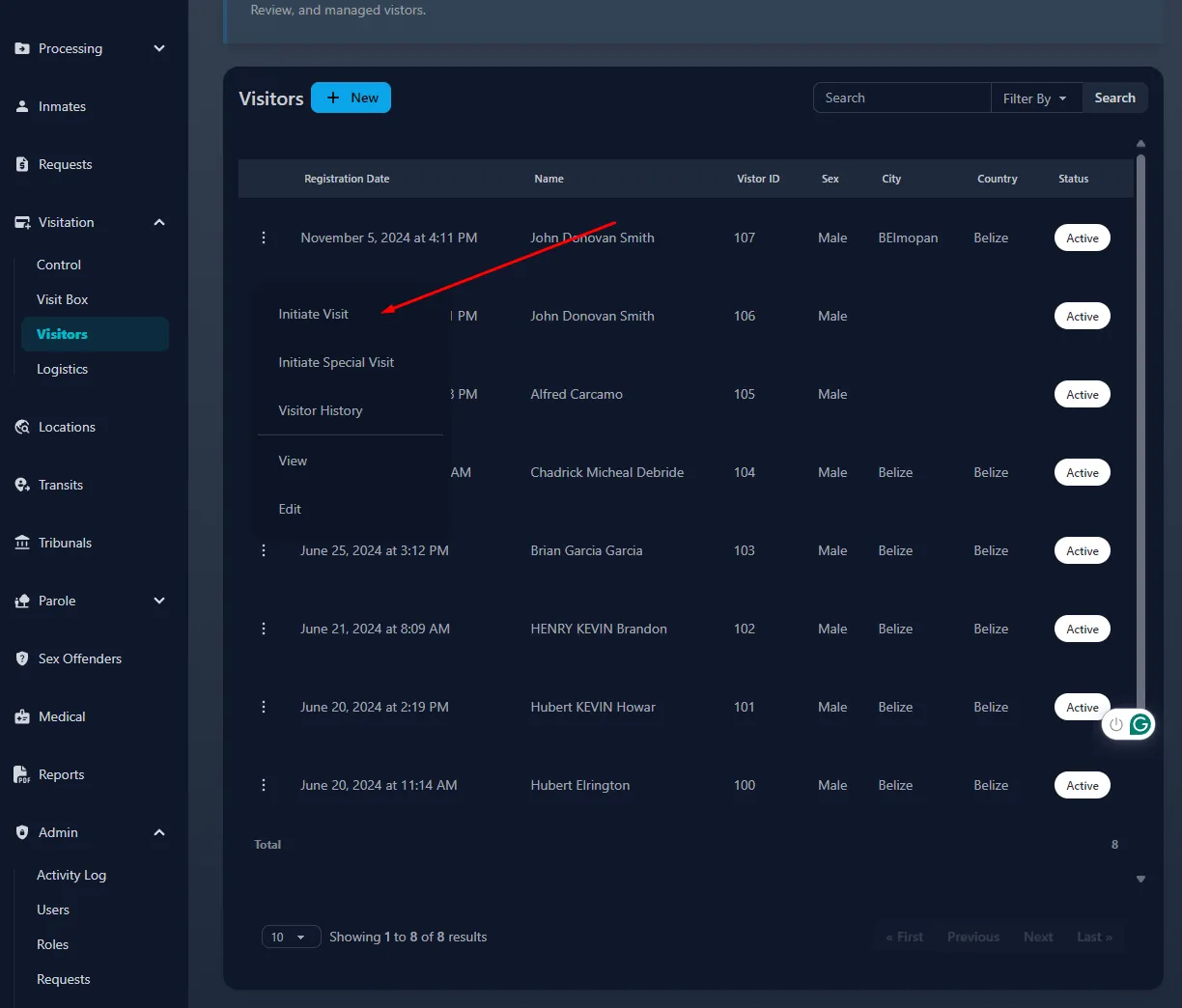
Find the registered Visitor from the visitors list, and click the 3 dots next to his/her name to initiate a visit.
-
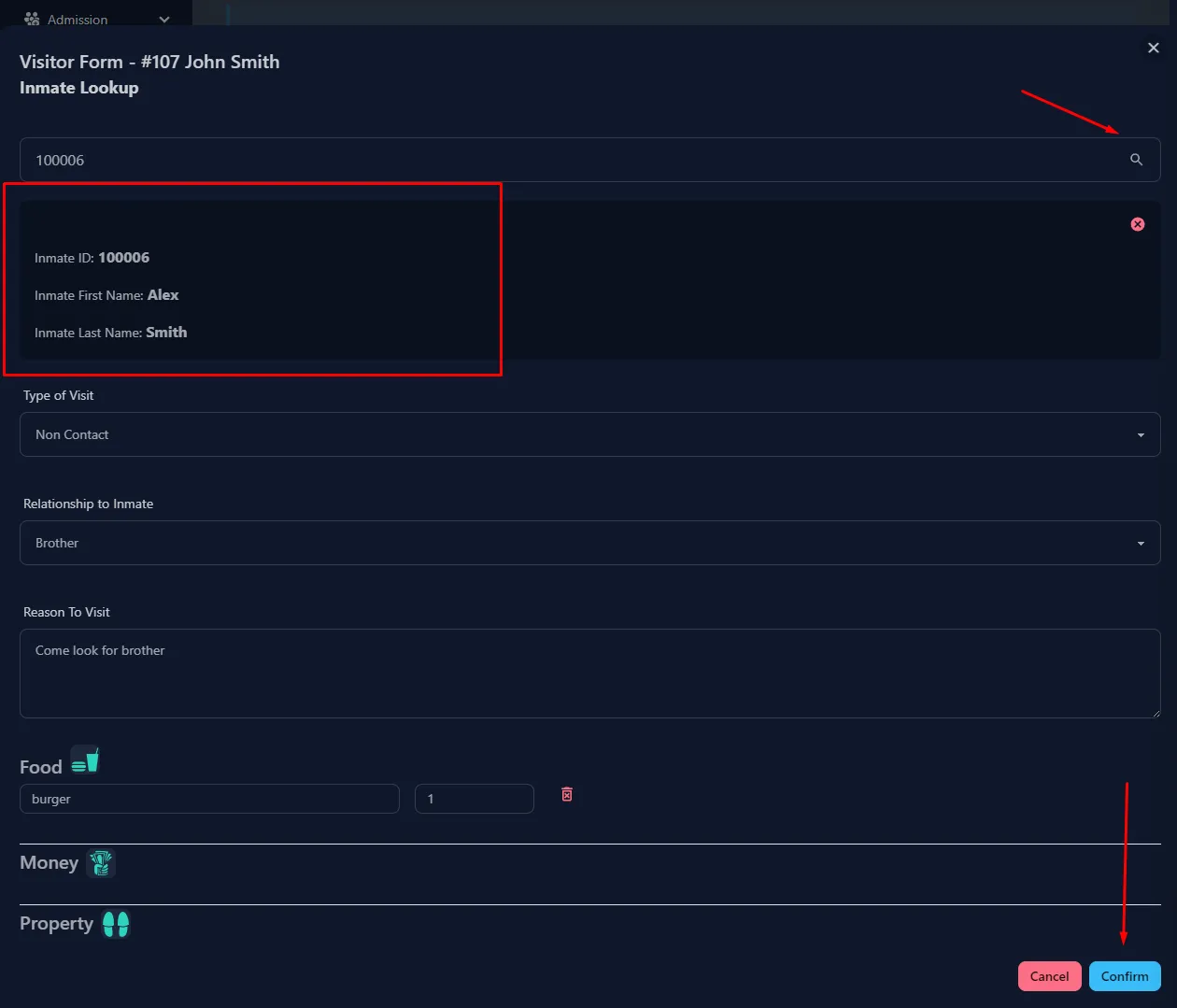
Fill out the form, and be sure to enter the ID of such inmate, and click on the search icon to confirm and load in that inmate before clicking confirm.
-
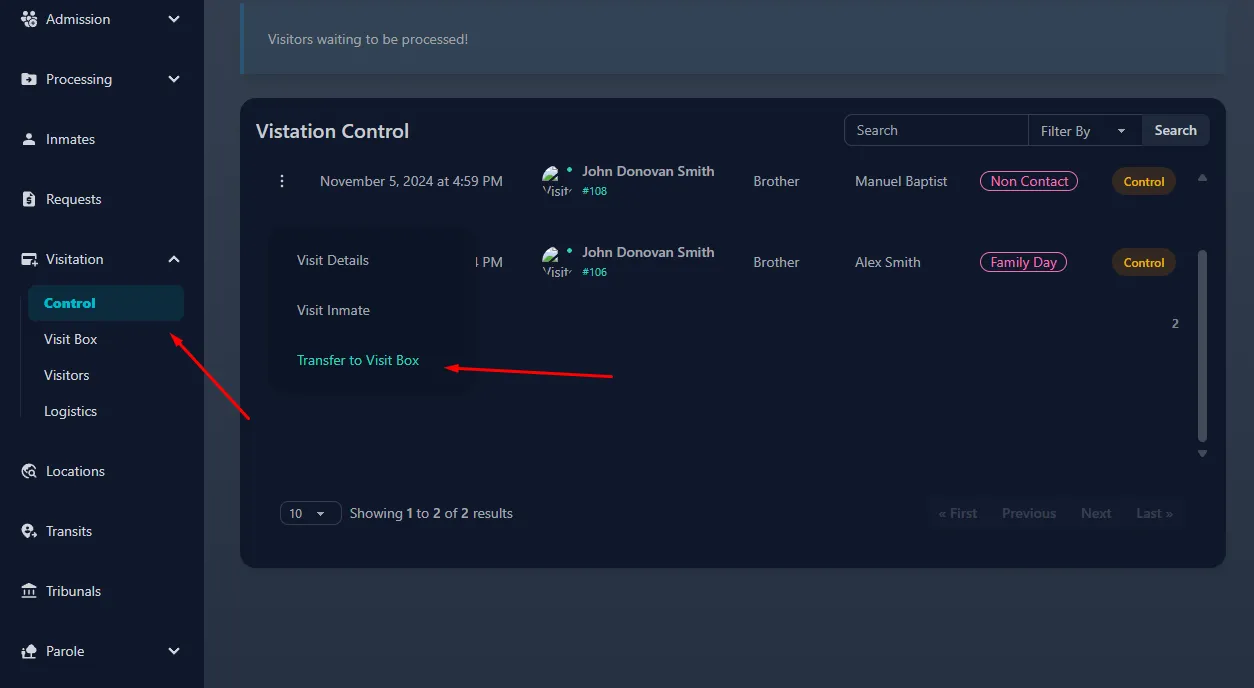
From there, the registered visitor then moves into control to be processed accordingly based on his/her type of visit. Once finished click on transfer to visit box, the visitor can now physically move to visit box.
- After the said inmate completes his/her transit to visitbox, and the visitor is at visit box, the visit box officer will not be able to start the visit. Additionally, the visitbox officer can transfer internally to another vacant cell as they see fit.
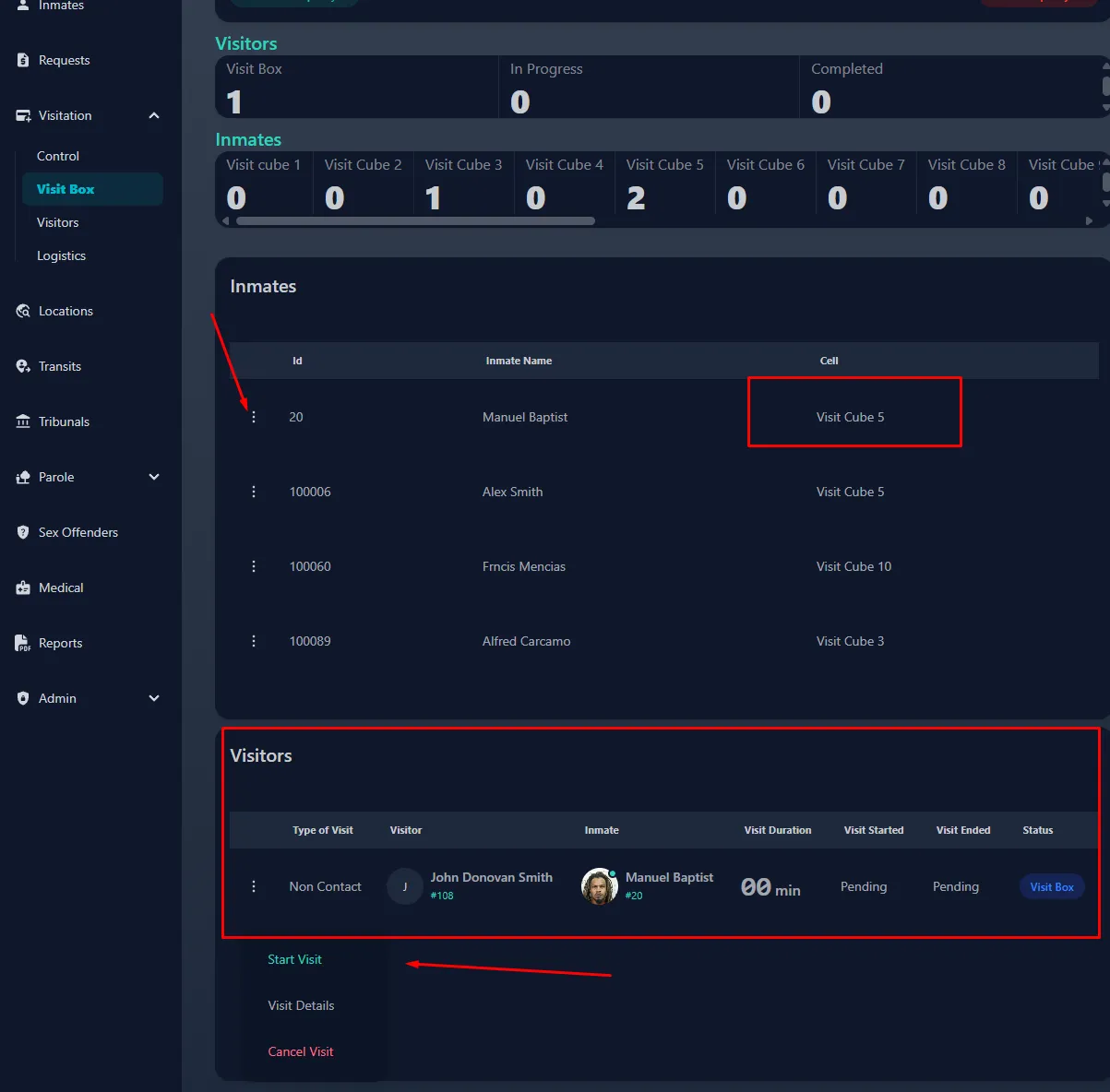
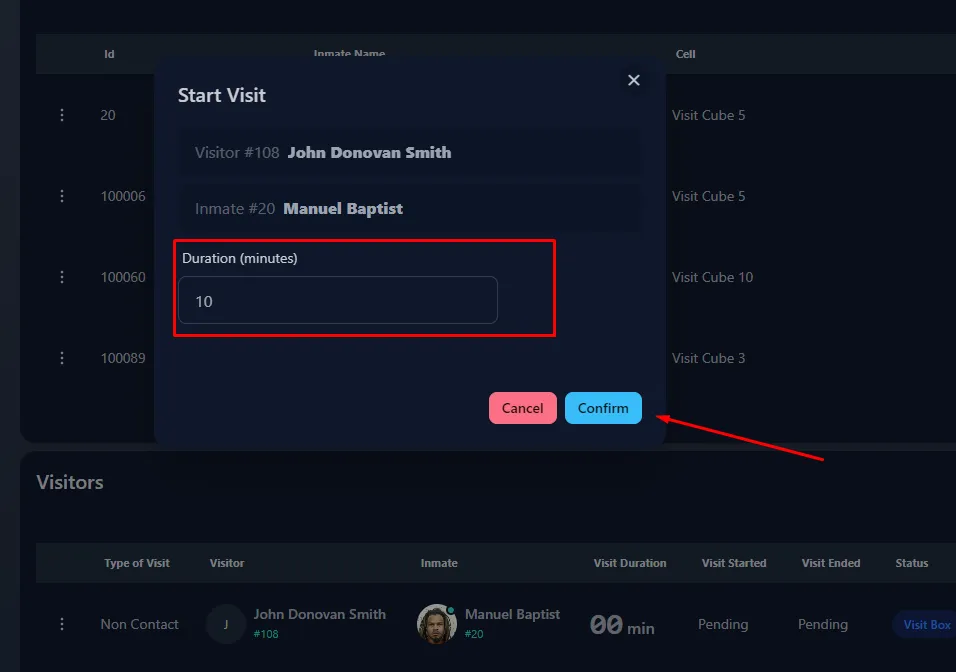
- Once start visit is clicked, the officer will need to enter the alloted duration for the visit. Be reminded, this will need to be done for each visitor in visitbox, such as if multiple visitors are coming to see 1 inmate.
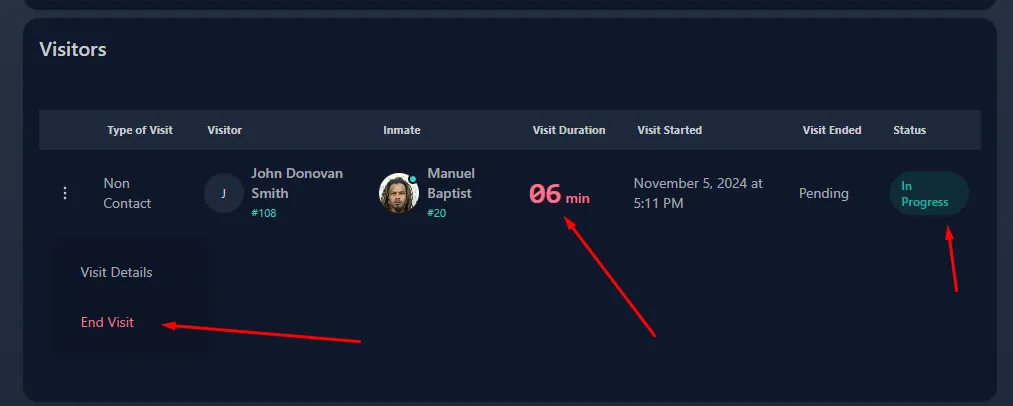
- Once The visit has started, the officer will then be able to see the duration and the status. He/She will then need to end visit once the visit is over.
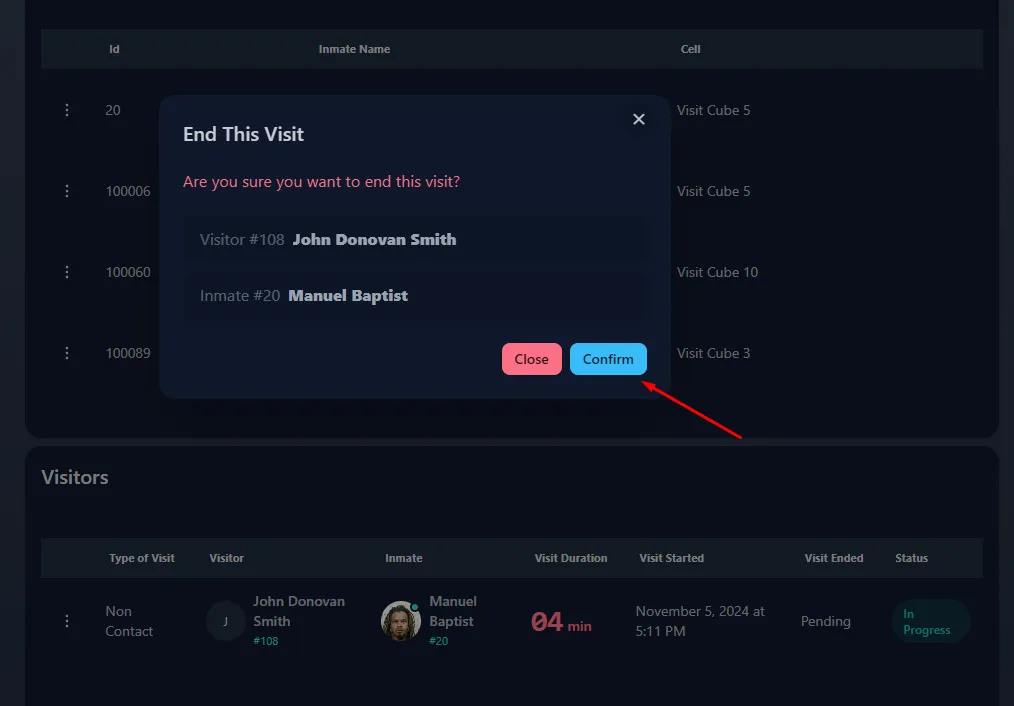
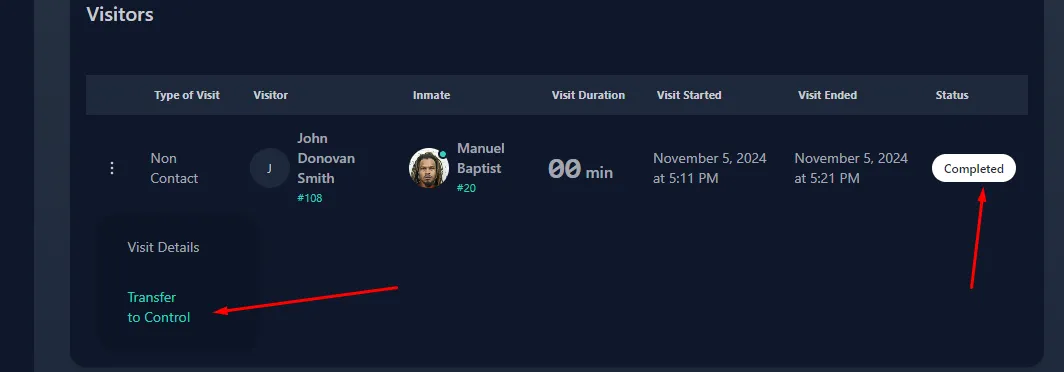
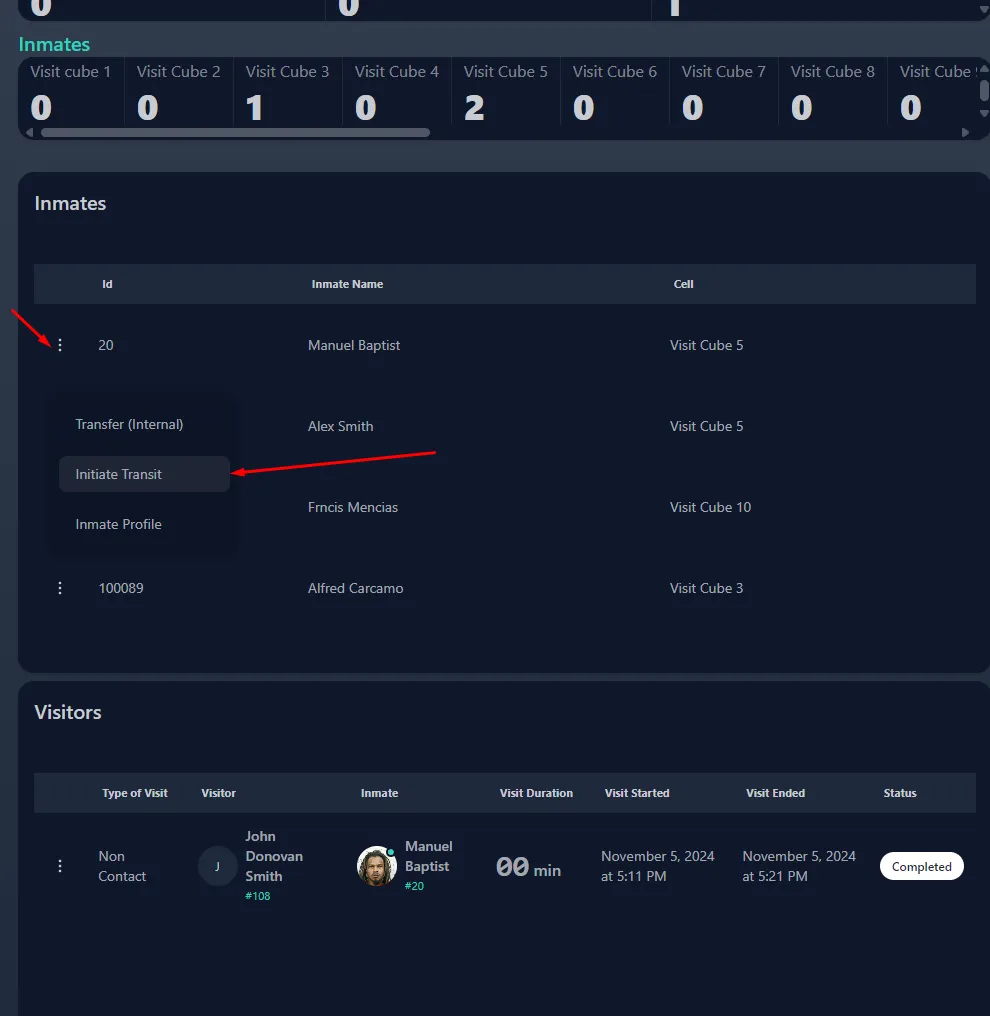
- The system will then ask to confirm the end of the visit, onced confirmed the visitor(s) can make their way back to control using the ‘transfer to control button’ and a the inmate will then need to go back to his/her said location via a transit using ‘initiate transit’.
Further reading
- Read about admitting with no warrant in PIMS